Invoice Simple export formats and the two-month PDF limit
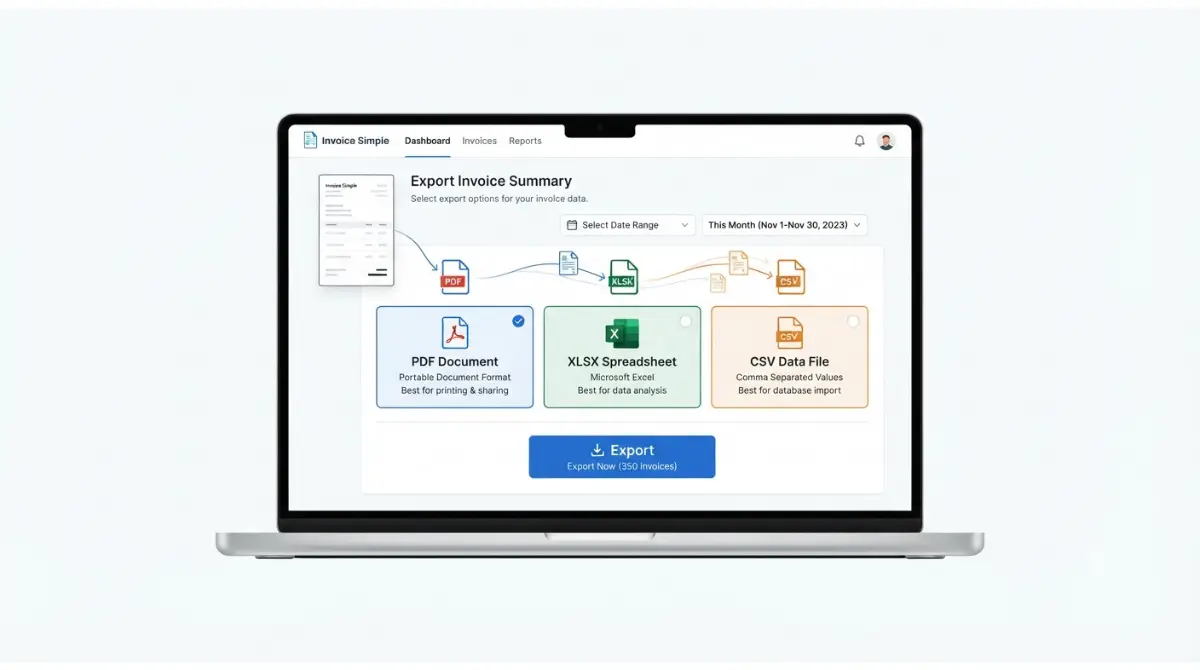
Table of Contents
Invoice Simple exports an invoice summary as PDF, XLSX or CSV from Settings → Export Invoice Summary. The PDF option is capped at two months of data per export, per Invoice Simple’s help center (article updated 22 July 2025, checked 28 September 2026). The help article states no such cap for CSV or XLSX, so a full-year PDF record takes six separate exports.
What Invoice Simple can export, and from where
Invoice Simple documents three export routes, each producing a different record.
Invoice summary export
These steps follow Invoice Simple’s export help article (dated 22 July 2025, retrieved 28 September 2026):
- Open Settings.
- Under the Invoice header, select Export Invoice Summary.
- Choose a date range and a file format: PDF, XLSX or CSV.
- Select Export to save the file to your device.
Expense summary export
Expenses export separately, from Export Expense Summary in Settings. That route is covered in the expenses section below.
Single-invoice PDF
One invoice can be saved as its own PDF, from the invoice rather than from Settings. The help article does not say whether the Settings path differs between the web and mobile apps.
CSV, XLSX or PDF: which export fits your job
The format you pick decides what you can do with the file afterwards, and one format has a range limit.
| Your job | Pick | Why |
|---|---|---|
| Handing figures to an accountant | XLSX or CSV | Opens in a spreadsheet for sorting and totals |
| Keeping a printable record | Fixed document layout; range capped per export (see the limit section) | |
| Moving to another tool | CSV | The standard plain-text format import tools read |
For your accountant or a spreadsheet
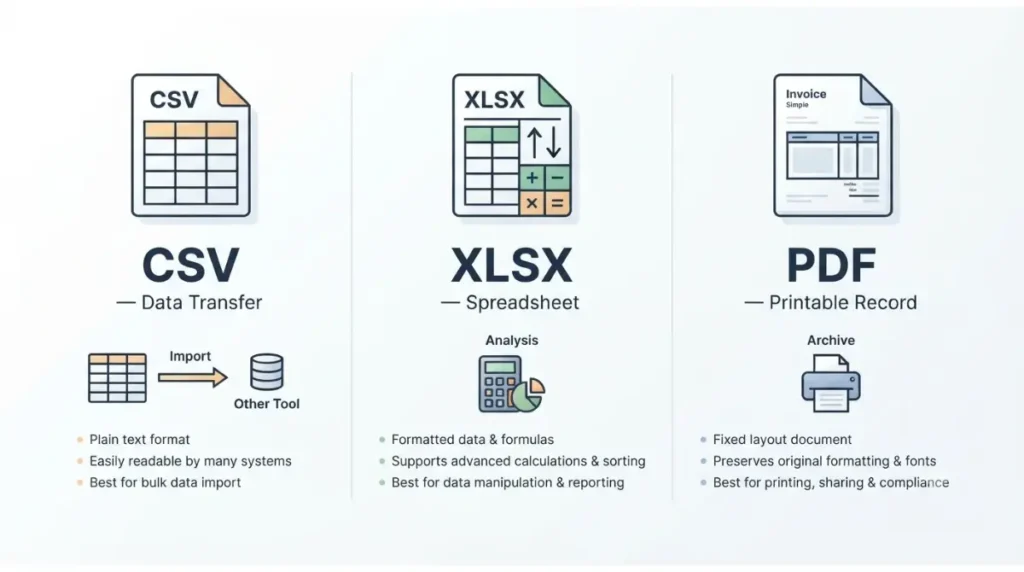
XLSX opens directly in Excel, and CSV opens in any spreadsheet app. Ask your accountant which one they want before you export a long range.
For a printable record
PDF keeps the summary readable as a document, but its range is limited. The next section shows how many exports a year takes.
For moving to another tool
Invoice Simple’s help article does not list the columns each file contains, and we have not seen an export. Export a short range first and check that it holds the fields you need. For direct connections, see Invoice Simple’s integrations and their regional limits.
The two-month PDF limit and how to work around it
The PDF option exports at most two months of invoice data at a time.
💵 Verified: PDF invoice-summary exports are limited to two months of data per export, per Invoice Simple’s export help article dated 22 July 2025, retrieved 28 September 2026.
What the limit covers
The help article attaches the limit to the PDF option of the invoice summary export only. It states no cap for XLSX or CSV, which is not the same as confirming there is none.
How many PDF exports a full year takes
This table is our calculation from the documented limit. It assumes two-calendar-month blocks, because the help article does not define “two months.”
| Period | PDF exports needed | How |
|---|---|---|
| 3 months (a quarter) | 2 | 2 months + 1 month |
| 6 months | 3 | 3 × 2 months |
| 12 months | 6 | 6 × 2 months |
When to use CSV or XLSX instead
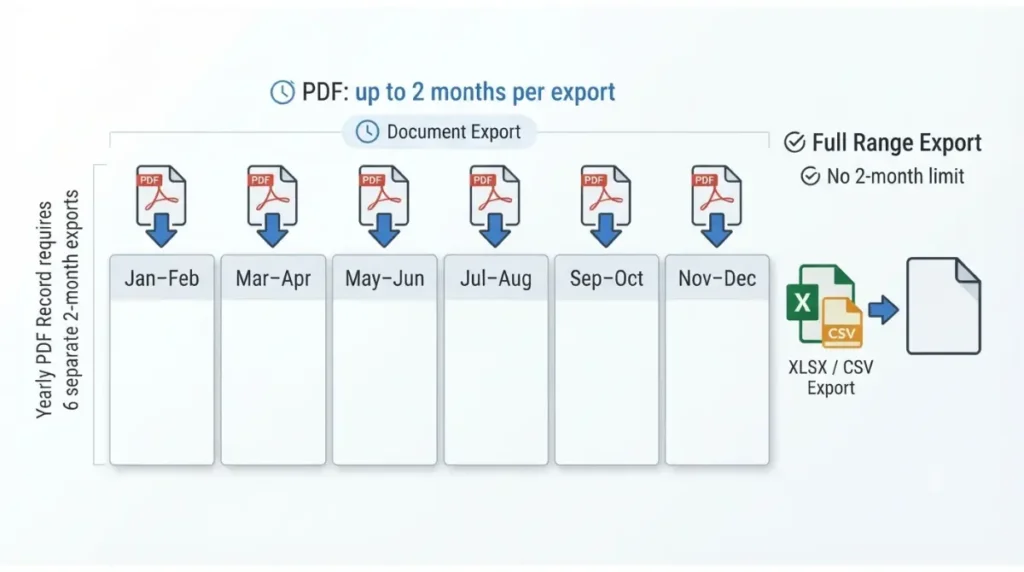
If you need a full year in one file, choose XLSX or CSV. Keep PDF for the periods where a printable document is required, and name each file by its date range.
Exporting expenses and receipt images
Expenses have their own export, and receipt images travel by a different route from the downloaded file.
Where the expense export lives
In Settings, select Export Expense Summary. You then choose a date range, whether to include receipt screenshots, and PDF, XLSX or CSV, per the export help article (dated 22 July 2025, retrieved 28 September 2026). That article states the PDF limit under invoices only. It does not say whether expense PDFs share it.
Why receipts arrive by email
If you include receipt images, Invoice Simple sends them to the business email on your account rather than into the downloaded file.
✅ Do This: Before exporting receipts, confirm the business email on your account is an inbox you can still open.
Single-invoice PDFs, and which plans include export
Individual invoices save as PDF from the invoice itself, not from Settings.
Saving one invoice as PDF on web vs mobile
These steps follow Invoice Simple’s PDF help article (dated 21 February 2024, retrieved 28 September 2026):
- On mobile, open the invoice, tap the three dots, choose Print, then tap the PDF button on the print preview.
- On the web app, select the PDF button at the upper right. The file saves to your browser’s downloads folder.
Is export plan-gated?
We could not confirm this. Invoice Simple’s plans page and Plus plan page (both retrieved 28 September 2026) list summary reports as a Plus addition. However, the export help article names no plan, and we could not verify that the two are the same feature.
The in-app Reports screen is documented separately. For what each plan costs, see Invoice Simple’s current pricing. For whether the whole package pays off, see whether Invoice Simple is worth it once you count the real cost.
Export before you cancel or delete your account
Cancelling and deleting do very different things to your records.
🛟 Back This Up First: Before deleting your account, export your invoice summary for the full range you need, export your expense summary, and save any individual invoice PDFs you want to keep. Store them outside Invoice Simple.
Cancelling keeps your data
Invoice Simple’s help article on data after cancelling (dated 19 November 2025, retrieved 28 September 2026) says invoice history, estimates and client information stay stored after you cancel or change plans. It points to the invoice summary export for a local backup. The steps for leaving are in how to cancel an Invoice Simple subscription.
Deleting removes it
The account-deletion article (dated 30 November 2023, retrieved 28 September 2026) says deletion logs you out and deletes your account and data automatically. It describes no recovery step, so export first.
🧾 Not Tested: We have not run these exports. We could not see which columns CSV or XLSX files contain, how the date picker handles ranges, or which plan unlocks Export Invoice Summary. Everything above comes from Invoice Simple’s help center and plan pages, retrieved 28 September 2026.
Frequently asked questions
1. How do I export all my invoices from Invoice Simple?
Open Settings, choose Export Invoice Summary, pick a date range and PDF, XLSX or CSV, then select Export.
2. Why is my Invoice Simple PDF export limited?
Invoice Simple’s help article, dated 22 July 2025, limits PDF invoice-summary exports to two months of data per export.
3. Does the two-month limit apply to CSV and XLSX exports?
Invoice Simple’s help article states the limit for PDF only and names no cap for CSV or XLSX exports.
4. Can I export expenses with receipts in Invoice Simple?
Yes. Export Expense Summary lets you include receipt images, which go to your account’s business email rather than the download.
5. How do I save one Invoice Simple invoice as a PDF?
On web, select the PDF button at the upper right. On mobile, tap the three dots, then Print, then PDF.
6. Which export format should I send my accountant?
XLSX or CSV, since both open in spreadsheets. Ask your accountant which they prefer before exporting a long date range.
7. Do I lose my Invoice Simple data if I cancel?
No. Invoice Simple’s help center says invoices, estimates and client information stay stored and accessible after cancelling.
8. Does deleting my Invoice Simple account remove my data?
Yes. Invoice Simple’s help center says deletion logs you out and deletes your account and data automatical.
The short version
Use XLSX or CSV when you need a full range in one file or figures for a spreadsheet. Use PDF for printable records, split into blocks as the limit section shows. Receipts arrive by email, and plan access to the export is unconfirmed. Whatever you choose, export before you delete your account, because deletion removes your data.