Invoice Simple Refund Rules Depend on Where You Paid
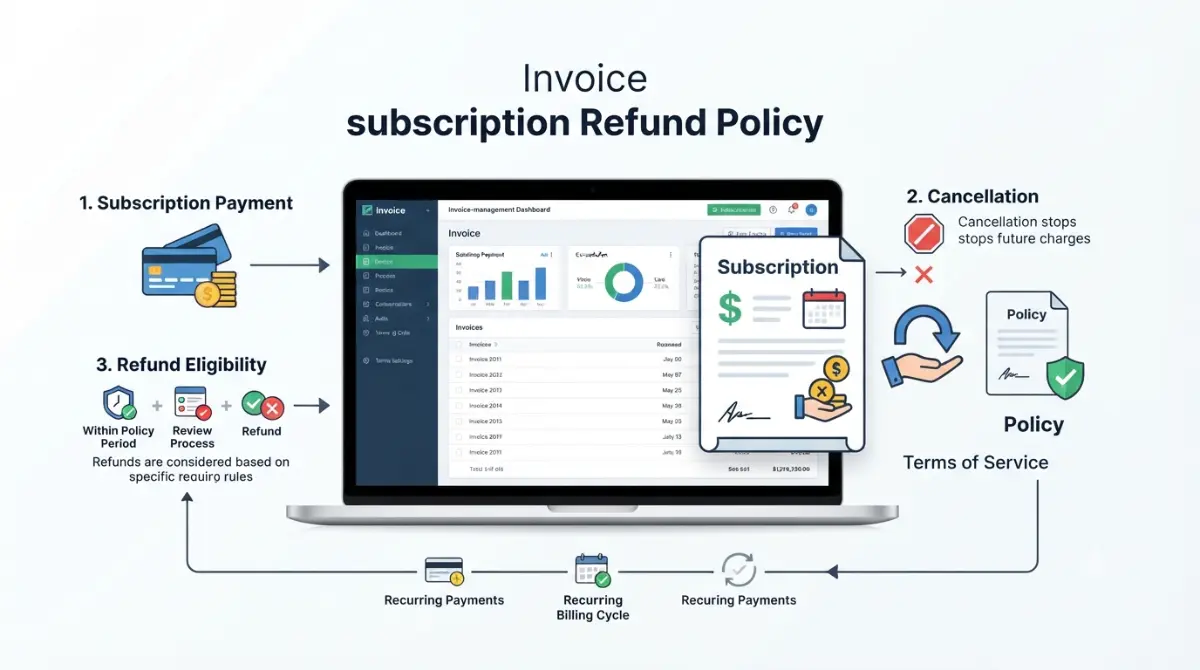
Table of Contents
Invoice Simple’s Terms of Service (last modified 1 June 2026, checked 26 September 2026) say subscription fees are non-refundable, including unused months. That is the vendor’s default, not the whole answer: who can refund you depends on where you paid. Web subscribers email support@invoicesimple.com; App Store buyers go to Apple; Google Play buyers have 48 hours with Google, then the developer.
What Invoice Simple refund policy actually says
The policy is one paragraph in Section 6 of the Terms, which Invoice Simple last modified on 1 June 2026.
The clause, in plain terms
Section 6 says subscription fees are non-cancelable and non-refundable for the whole term. It rules out three things by name: refunds for partial use, refunds when you upgrade or downgrade, and refunds for unused months on an active account.
You also stay responsible for renewal fees until your account or the Terms are terminated. The contracting company is Zenvoice Software Inc., trading as Invoice Simple.
If you meant refunding your own client
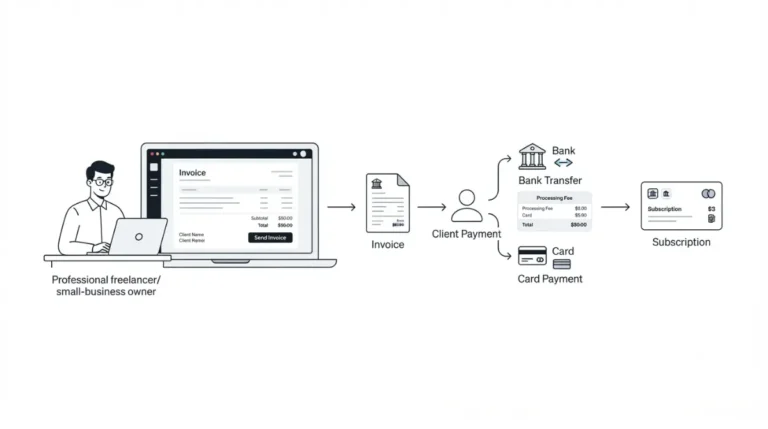
This page covers money you paid Invoice Simple. Refunding a payment your client made to you through Invoice Simple is a separate process and is not covered here.
Where you paid decides who can refund you
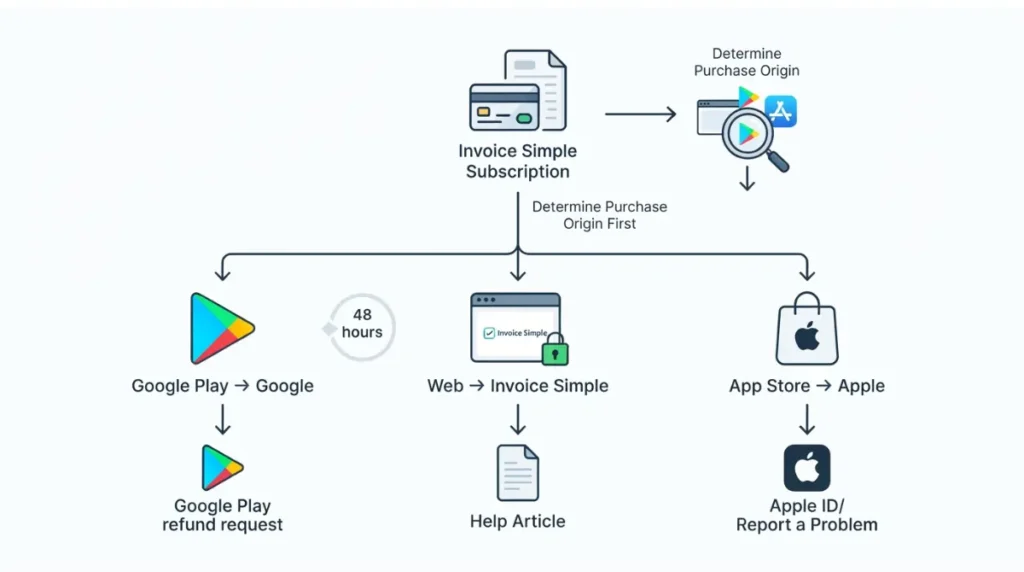
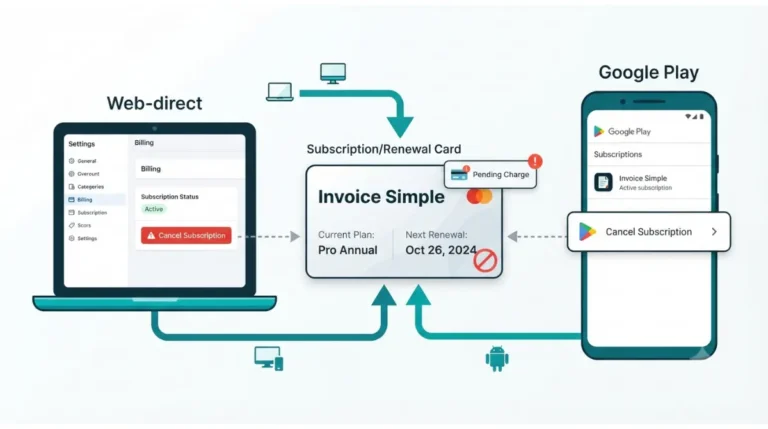
The Terms bind Invoice Simple, but Apple and Google bill their own store purchases and apply their own refund rules.
| Where you paid | Who decides | Window | Where to ask |
|---|---|---|---|
| Web (invoicesimple.com) | Invoice Simple | None published; Terms say non-refundable (checked 26 Sep 2026) | support@invoicesimple.com |
| Google Play, within 48 hours | 48 hours from purchase (checked 26 Sep 2026) | Google Play refund request | |
| Google Play, after 48 hours | The developer (Invoice Simple) | Developer’s own policy (checked 26 Sep 2026) | support@invoicesimple.com |
| App Store | Apple | Varies by country or region (checked 26 Sep 2026) | reportaproblem.apple.com |
Paid on the web
Invoice Simple handles the request itself. Section 3 below covers what to send.
Paid through the App Store
Invoice Simple’s refund help article sends App Store buyers to Apple. Apple’s refund page (checked 26 September 2026) says eligibility varies by country or region.
Paid through Google Play: the 48-hour split
Invoice Simple’s help article (dated 22 February 2024) tells Google Play buyers to request refunds directly through Google. Google’s policy, checked 26 September 2026, says that after 48 hours you contact the developer instead.
After 48 hours, each page points you to the other. If you’re past that window, email Invoice Simple and cite Google’s policy page.
How to ask Invoice Simple for a refund
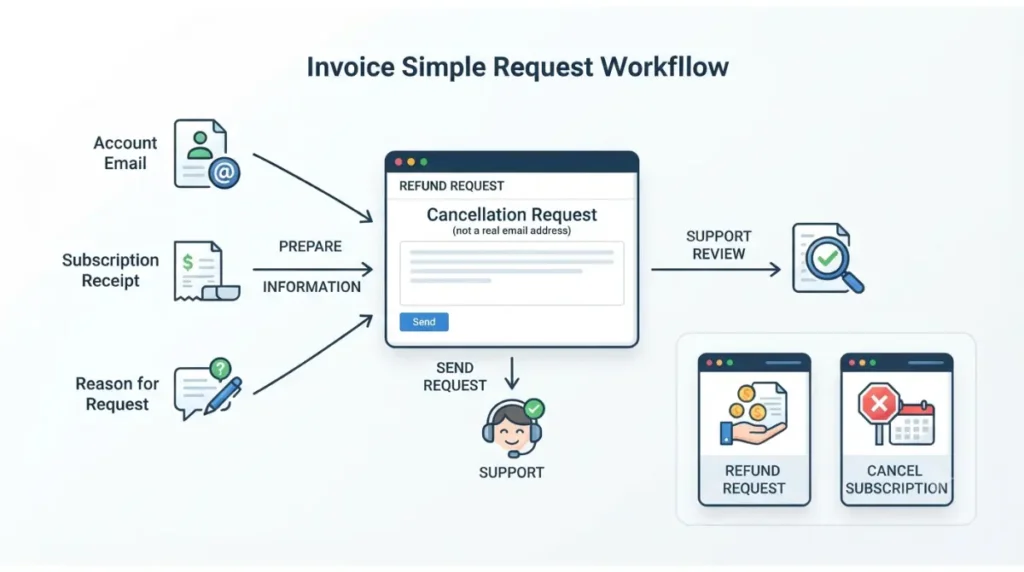
The vendor’s own instructions, in a help article dated 22 February 2024, still invite requests despite the no-refund clause.
What to send
- Email support@invoicesimple.com.
- Put “Cancellation Request” in the subject line.
- Include the email address on your Invoice Simple account.
- Attach a screenshot of your subscription receipt.
State what actually happened, such as a missed cancellation or a renewal you didn’t expect. An accurate account is the only one worth sending.
Why the subject line says “Cancellation Request”
That is the wording the help article specifies for refund requests. Asking for a refund does not cancel your plan. On the web, cancelling is done under Settings → Cancel Subscription, per Invoice Simple’s cancellation help article (dated 20 January 2026). The full walkthrough for each channel is on our page on how to cancel your Invoice Simple subscription.
If you’d rather use chat
The same help article lists in-app support chat as an alternative to email. Invoice Simple publishes no response time for refund requests, and we have no filed request to report one from.
What the terms rule out, even if you cancel today
Section 6 of the Terms (1 June 2026) describes how you’re billed, and that billing model sets the limits.
Annual plans are billed up front
Invoice Simple charges fees in advance, monthly or annually. On an annual plan, cancelling mid-term does not return the months you haven’t used.
⚠️ This Costs You: Leaving an annual plan early forfeits the unused months under Section 6. Section 5 below shows the dollar amount for each plan.
Downgrades don’t generate credit
Section 6 names upgrade and downgrade refunds as excluded. Moving to a cheaper plan changes your future charges only.
Cancelling stops renewals, not past charges
You owe renewals until your account is terminated, so cancel before the next renewal, not after it. Questions about the 14-day trial belong on our Invoice Simple free trial page. Invoice Simple’s trial help article (dated 4 March 2025) does not say whether a payment card is required.
What a no-refund annual plan puts at risk
Annual billing is cheaper than paying monthly for twelve months, but on a non-refundable term the saving and the risk come together.
| Plan | Monthly × 12 | Annual price | Annual saves | Unused value if you leave after month 2 |
|---|---|---|---|---|
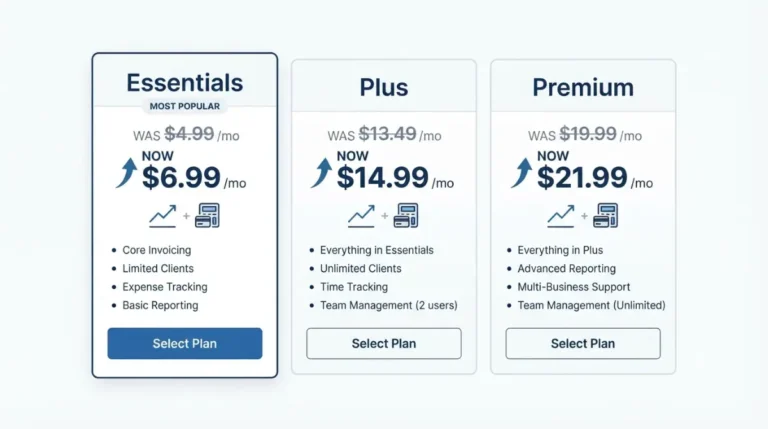
| Essentials | $83.88 ($6.99 × 12, USD, 26 Sep 2026) | $69.99 (USD, 26 Sep 2026) | $13.89 | ~$58.33 |
| Plus | $179.88 ($14.99 × 12, USD, 26 Sep 2026) | $149.99 (USD, 26 Sep 2026) | $29.89 | ~$124.99 |
| Premium | $263.88 ($21.99 × 12, USD, 26 Sep 2026) | $219.99 (USD, 26 Sep 2026) | $43.89 | ~$183.33 |
Prices are from Invoice Simple’s pricing page, which states prices in USD that may vary by local currency. The last three columns are our own arithmetic. “Unused value” is the annual price × 10/12, an estimate of what Section 6 leaves unrefunded. Invoice Simple publishes no such figure.
🗓️ Pricing verified 26 September 2026. Software pricing changes frequently — confirm on the vendor’s site before purchasing.
For plan-by-plan detail, see our Invoice Simple plan prices.
Before you cancel: export your invoices
Whatever happens with the refund, your invoice records are the part you can’t get back later.
🛟 Back This Up First: Export your invoice summary before you cancel or delete anything. Invoice Simple’s data help article lists CSV, PDF and XLSX download formats.
What the help center says about your data
Invoice Simple’s data help article (dated 19 November 2025) says invoices, estimates and client details stay stored and accessible after you cancel.
What the Terms allow after termination
Section 2.1 of the Terms (1 June 2026) lets Invoice Simple deactivate an account and delete its data after termination. The two pages say different things, so the export is the safe step.
✅ Do This: Export first, then file your request, then cancel.
If you’re deciding whether to stay at all, our assessment of whether Invoice Simple is worth it at full cost sets this policy against the rest of the bill.
🧾 Not Tested: We hold no paid Invoice Simple account and filed no refund request. How Invoice Simple responds to a request, and how long it takes, is not recorded here.
Frequently asked questions
1. Can I get an Invoice Simple refund if I forgot to cancel?
Invoice Simple’s Terms (1 June 2026) make renewals non-refundable, but its help article still accepts requests at support@invoicesimple.com.
2. Does Invoice Simple refund unused months on an annual plan?
No. Section 6 of the Terms (1 June 2026) excludes refunds for unused months. The table above shows the amounts per plan.
3. How do I cancel an Invoice Simple subscription?
On the web, Invoice Simple’s help article gives Settings → Cancel Subscription. App Store and Google Play subscriptions are cancelled through those stores instead.
4. Can I get a Google Play refund for Invoice Simple after 48 hours?
Google’s policy says to contact the developer after 48 hours. For Invoice Simple, that means emailing support@invoicesimple.com and citing Google’s page.
5. What email do I use for an Invoice Simple refund request?
Use support@invoicesimple.com with “Cancellation Request” as the subject. Include your account email and a screenshot of your subscription receipt.
6. Do I lose my Invoice Simple data if I cancel?
The help center says your data stays after you cancel, but the Terms allow deletion after termination. Export your invoice summary first.
7. Does Invoice Simple refund a downgrade?
No. Section 6 of Invoice Simple’s Terms (1 June 2026) excludes refunds when you upgrade or downgrade. The change only affects future charges.
8. Which Invoice Simple terms apply to a refund?
Section 6 (Payment) of Invoice Simple’s Terms of Service, last modified 1 June 2026, operated by Zenvoice Software Inc. dba Invoice Simple.
The short version
Invoice Simple’s own terms rule out refunds, so where you paid is what decides your options. Email Invoice Simple for a web purchase. For Google Play, use Google within 48 hours and Invoice Simple after that. For the App Store, go to Apple. Export your invoices before you cancel.