Zoho Books CRM Sync Not Working Because a Required Field Is Empty

Zoho Books CRM sync failing on a required field? When a CRM module has several layouts, Books maps only the Standard one, so fields elsewhere can’t match.
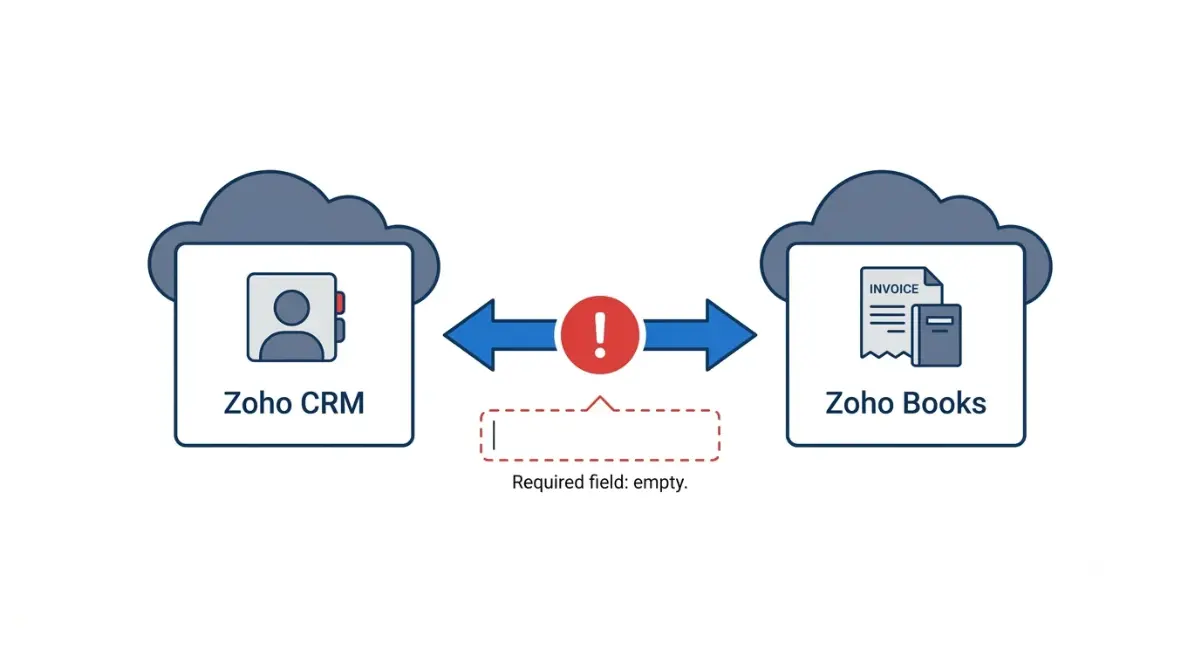
Table of Contents
As of 16 October 2026, Zoho’s help pages do not publish this error or its cause. In Zoho Books, go to Settings, Zoho Apps, Show Details next to Zoho CRM, and open Show Sync History. Map every mandatory Books field to a filled field on CRM’s Standard layout, then click Instant Sync rather than waiting up to two hours for the automatic run.
Which Zoho Books and CRM setup are you on?
Zoho lists the CRM integration on every Zoho Books plan, Free to Ultimate, in Zoho’s integration guide read 16 October 2026.
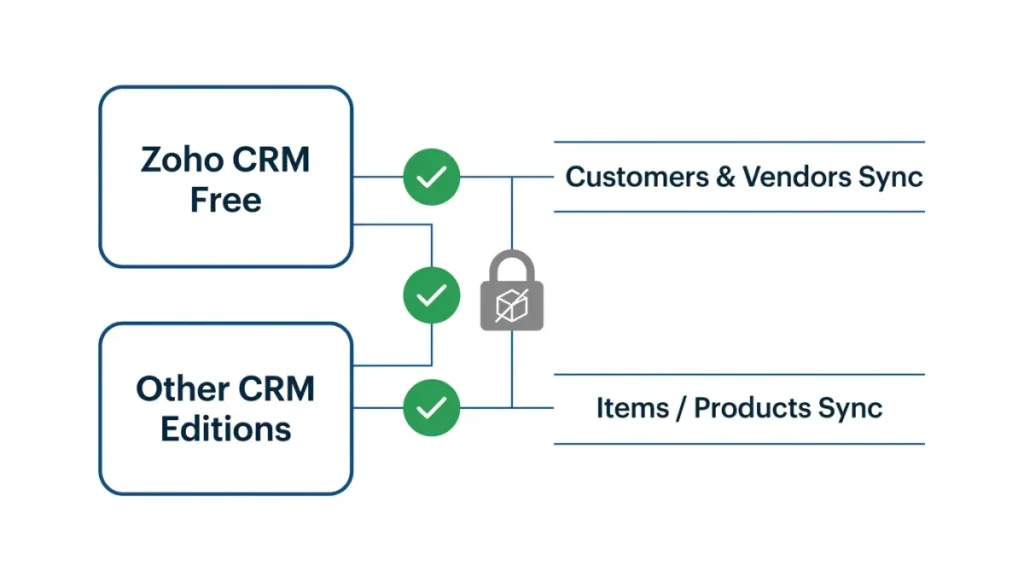
Your Zoho CRM edition and the Products module
| Your CRM edition | Customers and Vendors sync | Items sync |
|---|---|---|
| Zoho CRM Free | Yes (16 Oct 2026) | No — no Products module (16 Oct 2026) |
| Any other edition | Yes (16 Oct 2026) | Not excluded (16 Oct 2026) |
Source: Zoho’s note on Free CRM. If you are on Free CRM and syncing Items, stop here; that sync cannot be set up.
Your Zoho Books plan and custom fields
Books custom fields start on Standard (Zoho’s custom fields page, 16 October 2026), so on Free the first cause below cannot apply. Plan gating for other apps is in Zoho Books integrations by plan.
What the mandatory field error usually means
Zoho’s help pages, read 16 October 2026, do not list this error; two of them point to the likeliest cause.
A Books field marked Is Mandatory with no CRM match
A Books field set to Is Mandatory blocks saving any record without a value, per Zoho’s custom fields page; Zoho Books plans include custom fields from Standard up. Zoho’s integration guide says some fields map automatically and the rest must be mapped by hand. Our reading, not Zoho’s statement: a mandatory field left unmapped, or mapped to an empty CRM field, gives the sync nothing to save.
A CRM field outside the Standard layout
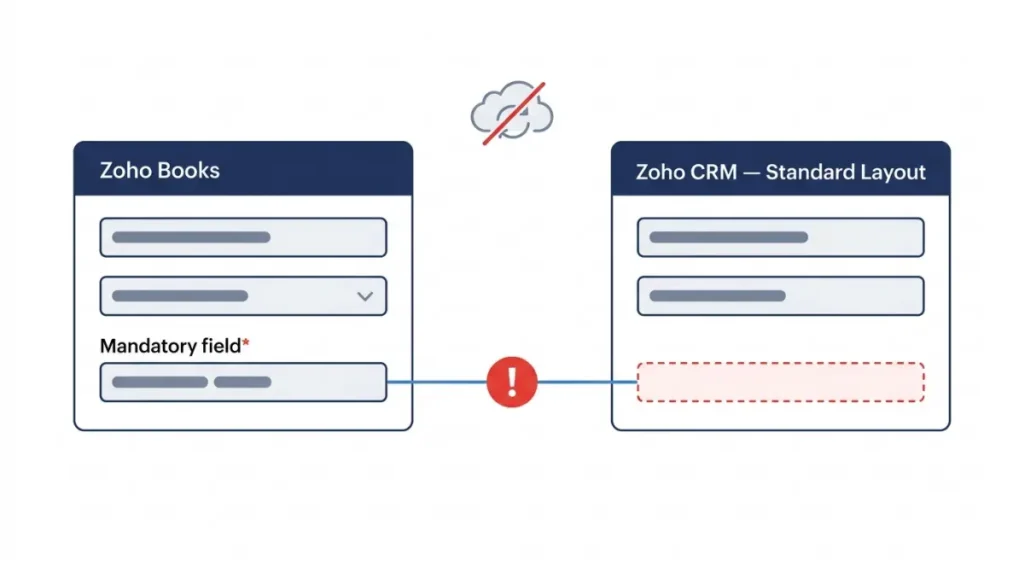
💵 Verified: When a Zoho CRM module has several layouts, Zoho Books uses the Standard layout — Zoho’s layout rule, retrieved 16 October 2026.
Zoho’s guide adds that custom fields on non-standard CRM templates are not offered for mapping, so a required field living there cannot be matched.
The error wording Zoho does not document
The message appears in a user-reported version of this error on Zoho’s forum: “It looks like some mandatory fields you’re trying to map are empty.” It had no answer and no visible date on 16 October 2026.
How to fix the mapping and re-run the sync
These steps follow Zoho’s US help pages read 16 October 2026; Zoho’s guide names this menu three ways, so look for Zoho Apps under Settings.
🛟 Back This Up First: Back up your Zoho Books data first. Duplicate handling set to Overwrite replaces existing Books records, and force-deleting a Books field erases its data.
1. Read the failure in Show Sync History
Open Settings, Zoho Apps, Show Details next to Zoho CRM, then Show Sync History. Note the failed module and reason.
2. Find Books fields set to Is Mandatory
Open Settings, select that module, go to the Fields tab, and use each field’s dropdown and Edit to check Is Mandatory.
3. Map or fill each one
Click Edit on the Zoho CRM details page and map every mandatory field. If no CRM field fits, add one to the Standard layout under Setup, Customization in CRM (Zoho’s CRM field-customization guide calls it Modules and Fields) and fill it on each record. Zoho does not say whether a Books Default Value satisfies a mandatory field during sync, so don’t rely on one.
4. Run Instant Sync and Check Status
Click Instant Sync, then Check Status. For one customer or vendor, open it, click More, and choose Re-sync Contact from Zoho CRM.
Still failing after the mapping fix?
Check these documented blockers in order, cheapest first.
Base currency mismatch
With multi-currency on in Zoho CRM, its base currency must match Zoho Books, per Zoho’s guide read 16 October 2026.
Several Books organizations on one CRM
A second Books organization on the same CRM syncs one way only, CRM to Books (same guide, 16 October 2026).
Disabling and reconnecting, and what it deletes
⚠️ This Costs You: With transaction modules syncing, disabling deletes custom reports, comments and attachments in CRM’s Zoho Finance module; Books transactions stay (Zoho’s guide, 16 October 2026). Deleting the integration permanently removes record mapping.
🛟 Back This Up First: Before any disable, save the Zoho Finance reports, comments and attachments you need.
CRM users appear in Books as Integration User (Zoho CRM); see how Zoho Books roles work.
When to stop and contact Zoho support
Stop if Show Sync History gives any other reason, or the error returns after the four steps. Do not disable the integration to test a theory.
What to send support
Send the failure reason, module, sync direction, Books plan and CRM edition. As of 16 October 2026, Zoho’s US pages list support.usa@zohobooks.com and +1 844 316 5544, weekdays 9 AM–9 PM ET.
CRM permissions that block the Finance module
A CRM admin checks Setup, Profiles under Security Control, then Zoho Finance permissions per profile (read 16 October 2026).
How to keep the sync from failing again
As of 16 October 2026, Zoho syncs new CRM accounts, contacts, vendors and products into Books every two hours after the first sync; transactions sync instantly.
Add new required fields to both sides together
Whoever marks a field required maps it the same day, on CRM’s Standard layout.
Sync a filtered view, not every record
Choose a CRM view filtered to complete records, so half-filled ones never sync.
Know which side syncs first
On Sync both ways, Customers fetch CRM records first; Items fetch Books records first (Zoho’s guide, 16 October 2026).
Zoho Books CRM sync questions answered
1. Why does Zoho Books say mandatory fields are empty?
The likeliest cause is a Zoho Books field set to Is Mandatory with no filled CRM field mapped to it. Zoho documents no such error.
2. Where do I see Zoho Books CRM sync errors?
In Zoho Books, open Settings, Zoho Apps, Show Details next to Zoho CRM, then Show Sync History, which lists failures with reasons.
3. How often does Zoho Books sync with Zoho CRM?
As of 16 October 2026, new CRM records sync into Zoho Books every two hours after the first sync; transactions sync instantly.
4. Which Zoho CRM layout does Zoho Books use?
Zoho Books uses the Standard layout when a Zoho CRM module has several layouts, per Zoho’s KB read 16 October 2026.
5. Can I sync products from free Zoho CRM?
No. Zoho’s KB, read 16 October 2026, says free Zoho CRM lacks the Products module, so Zoho Books Items sync cannot be set up.
6. Does the CRM integration work on Zoho Books Free?
Yes. Zoho lists the CRM integration on every Zoho Books plan as of 16 October 2026; custom fields start on Standard.
7. Will disabling the integration delete data?
With transaction sync on, disabling deletes reports, comments and attachments in CRM’s Zoho Finance module. Zoho Books transactions stay; deletion is permanent.
8. How do I re-sync one customer from Zoho CRM?
Open the customer in Zoho Books, click More on its Details page, and choose Re-sync Contact from Zoho CRM.
9. Can two Zoho Books organizations sync with one CRM?
Only one way. Zoho’s guide says a second Zoho Books organization on the same CRM syncs from CRM to Books, not back.
What to do now
This error most likely means a mandatory Books field has no filled match on CRM’s Standard layout. Read Show Sync History, fix the mapping, run Instant Sync, and hand anything else to Zoho support.