How to Export Zoho Books Data, and the Catch Past 25,000 Rows
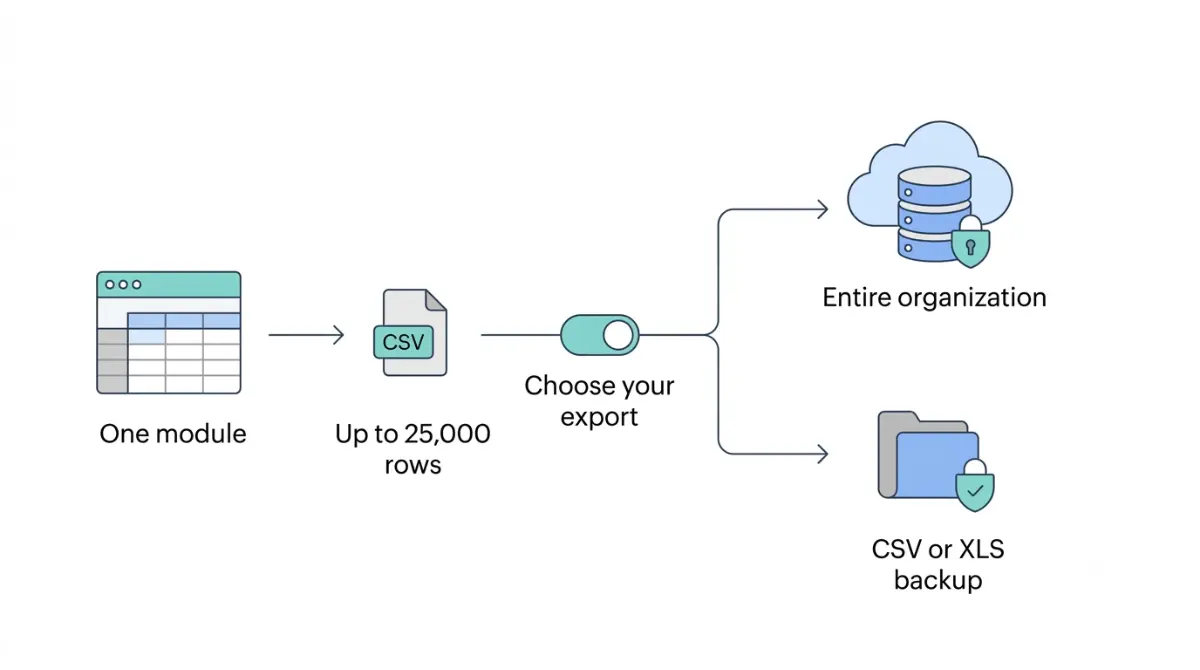
Table of Contents
Zoho Books exports data in three separate ways. A module export, run from a list page through More, then Export, covers only the first 25,000 rows. A full Data Backup, in CSV or XLS, can run once every 15 days. Documents and the audit trail come as separate ZIPs. These figures come from Zoho’s export help page and Zoho’s Data Backup help page, retrieved 12 October 2026.
Which Zoho Books export do you need?
Choose by how much you need back. Zoho Books has one export for a single list and a separate backup for the whole organization.
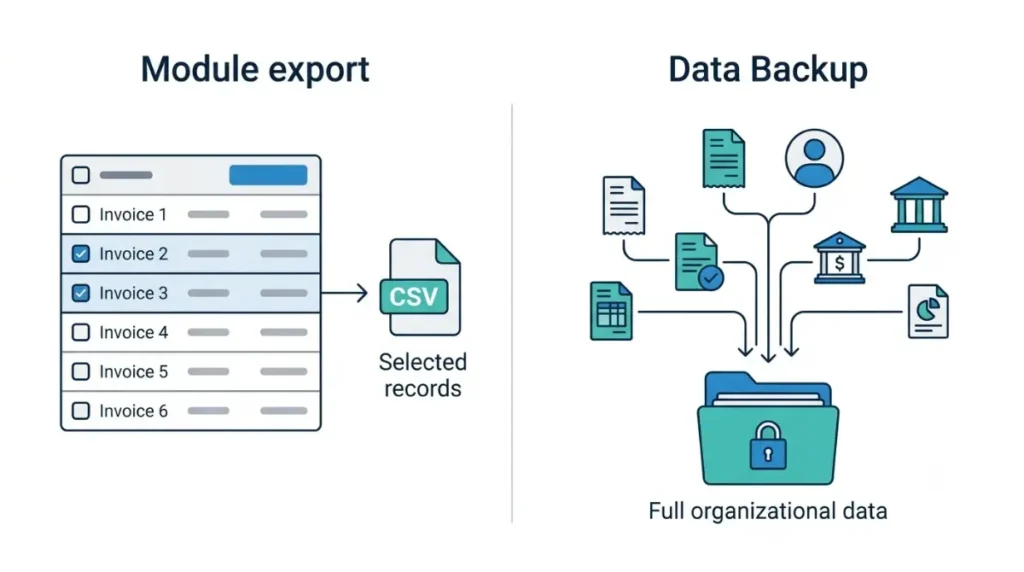
One module’s records
A module export starts on that module’s list page and can filter by status or date range. It suits one report or one list, and the file format is your choice.
Everything, plus the files
A Data Backup covers all organizational data, in a file type you choose. Documents and the audit trail are separate backups under the same Data Management area, covered below.
How to export a Zoho Books module, and the 25,000-row cap
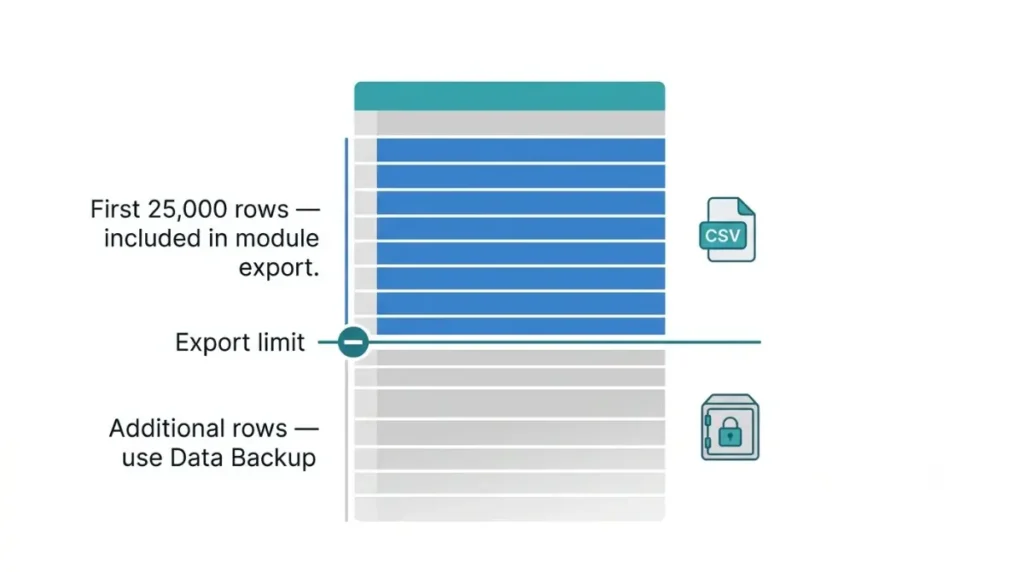
Zoho Books exports only the first 25,000 rows of a module, according to Zoho’s export help page, retrieved 12 October 2026.
The steps
- Open the module’s list page.
- Click the More icon in the top right corner, then Export.
- Complete the form and click Export.
What the export form asks for
The form has Module, Select Status, Date Range, Export Template and Export File Format (CSV, XLS or XLSX), plus a personally identifiable information option and an optional File Protection Password.
Past 25,000 rows
For more rows, Zoho’s page points to a backup. Custom-module exports above 25,000 records run as scheduled tasks (Zoho’s what’s-new page, 7 October 2024 entry, retrieved 12 October 2026).
Zoho Books Data Backup: formats, timing and the 15-day gap
Zoho’s Data Backup help page, retrieved 12 October 2026, says a data backup can be initiated only once every 15 days.
🛟 Back This Up First: Download the file when the email arrives. Its link lasts 30 days from the backup date (same page, retrieved 12 October 2026).
The steps and the timing
Open Settings, then Extension and Developer Data, then Data Management, and use the Backup Data tab. Pick CSV or XLS as the File Type. The page, retrieved 12 October 2026, sets the File Protection Password rule at 12 or more characters with mixed character types, and says the backup takes up to 30 minutes.
Three Zoho pages, three descriptions
Zoho’s pages describe the same backup differently. All three state a 15-day wait and none shows a page date (retrieved 12 October 2026); they do not say which supersedes the others.
| Zoho page | Format | Menu label | Link expiry | Retrieved |
|---|---|---|---|---|
| Help: Data backup | CSV or XLS | Settings → Extension and Developer Data → Data Management | 30 days | 12 Oct 2026 |
| Help: Backup your data (older) | A single compressed file of CSVs | “Data Backup under Developer Space” | 30 days | 12 Oct 2026 |
| Knowledge base: Backup data | CSV | “Data Backup under Developer & Data” | Not stated | 12 Oct 2026 |
Zoho Books document and audit-trail backups, and link expiry
Zoho provides documents and the audit trail as separate ZIP backups, each covering the period since the previous backup.
🛟 Back This Up First: Keep every documents ZIP. Each holds only documents uploaded between two backup dates (Zoho’s Data Backup help page, retrieved 12 October 2026).
Documents: only what is new
It holds files attached to quotes, bills and other records, but only those uploaded in that period.
The audit trail is a separate ZIP
The audit-trail backup is its own ZIP, holding Audit Trail activity for that period.
Link expiry at a glance
| File | Holds | Link expires | Retrieved |
|---|---|---|---|
| Data backup | All organizational data, as CSV or XLS | 30 days after the backup date | 12 Oct 2026 |
| Documents ZIP | Documents uploaded since the previous backup | 30 days | 12 Oct 2026 |
| Audit-trail ZIP | Audit Trail activity since the previous backup | 60 days | 12 Oct 2026 |
If you are exporting because you are leaving, what happens to your data when you cancel Zoho Books is covered separately. Ask your accountant what records you must keep.
Zoho Books report export limits by plan
PDF reports export up to 5,000 records instantly, according to Zoho’s pricing FAQ, retrieved 12 October 2026.
Instant exports
Zoho Sheet, CSV, XLS and XLSX reports support 20,000 records instantly (same FAQ, retrieved 12 October 2026). It names no plan for either instant limit.
Larger exports run in the background
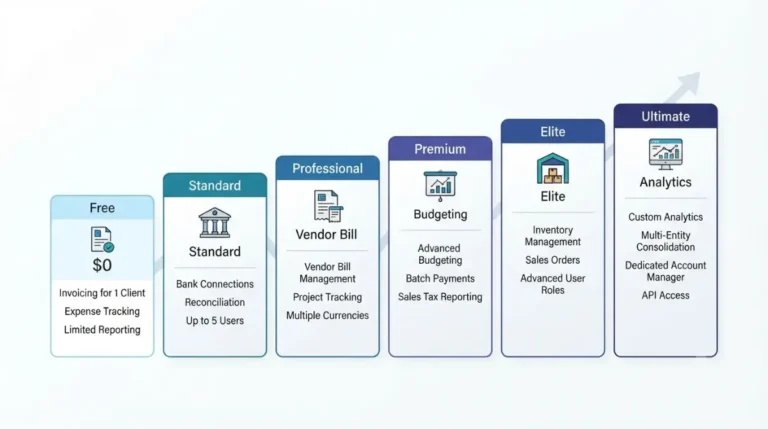
Bigger reports run asynchronously. The same FAQ, retrieved 12 October 2026, allows up to 100,000 records on Free, Standard, Professional and Premium, and up to 1,000,000 on Elite and Ultimate.
What the plan comparison lists
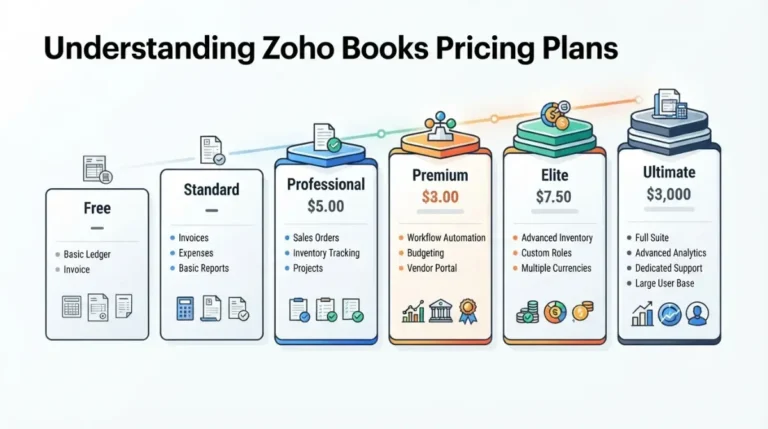
Zoho’s plan comparison page, retrieved 12 October 2026, ticks “Export and print reports as spreadsheet and PDF” on all six plans, with no row for Data Backup or module export. Plan costs sit in Zoho Books pricing and the extra costs past the Free plan.
What Zoho’s export pages don’t say
Zoho’s help pages, retrieved 12 October 2026, leave several questions open.
Roles and plans
The Data Backup help page names no role that may run a backup and no required plan, and the plan comparison page has no row for it. It states the 15-day limit for each backup type and does not say whether the limit is shared.
Passwords and scheduling
The help page says nothing about recovering a lost File Protection Password. Zoho’s what’s-new page records a Schedule Backup option on 26 February 2024, every 15 or 30 days. The help page, retrieved 12 October 2026, does not mention it, and we could not confirm the option is still offered.
🧾 Not Tested: No one on the team has opened a Zoho Books organization, so no export or backup screen was observed. The steps, limits and menu paths on this page come from Zoho’s help pages, retrieved 12 October 2026.
Frequently asked questions
1. How do I export data from Zoho Books?
To export data from Zoho Books, open a module’s list page, click More, then Export (Zoho’s export help page, retrieved 12 October 2026).
2. Is there a row limit on Zoho Books export?
Yes. The Zoho Books export limit is the first 25,000 rows; beyond that, Zoho points to a backup (retrieved 12 October 2026).
3. How often can I run a Zoho Books data backup?
A Zoho Books data backup can be initiated only once every 15 days (Zoho’s Data Backup help page, retrieved 12 October 2026).
4. Can I export Zoho Books data to CSV or Excel?
Yes. Zoho Books module export offers CSV, XLS or XLSX; Data Backup offers CSV or XLS (Zoho help pages, retrieved 12 October 2026).
5. How long does a Zoho Books backup link last?
A Zoho Books data backup link lasts 30 days, a documents ZIP 30 days, an audit-trail ZIP 60 days (retrieved 12 October 2026).
6. Does a Zoho Books backup include documents?
Zoho Books backs up documents separately, as a ZIP of files uploaded since the previous backup (retrieved 12 October 2026).
7. Can I password-protect a Zoho Books export?
Yes. Zoho Books exports have an optional File Protection Password; the backup password rule is 12 or more characters (retrieved 12 October 2026).
8. How many records can a Zoho Books report export?
Zoho Books reports export up to 5,000 records as PDF, or 20,000 in other formats, instantly; larger runs are asynchronous (retrieved 12 October 2026).
9. Is Zoho Books export available on the Free plan?
Zoho Books report export is ticked on all plans, Free included; the plan comparison, retrieved 12 October 2026, has no row for Data Backup.
Which export to run
Use a module export for one list and a Data Backup for the whole organization. Open any file you download and check its row count against the module, because the module export stops at the cap in the answer block. Ask your accountant what records you must keep. If you are still choosing a plan, read which plan the Zoho Books free trial starts on.