Plain Steps to Change Your Invoice Simple Tax Year, Web or Mobile
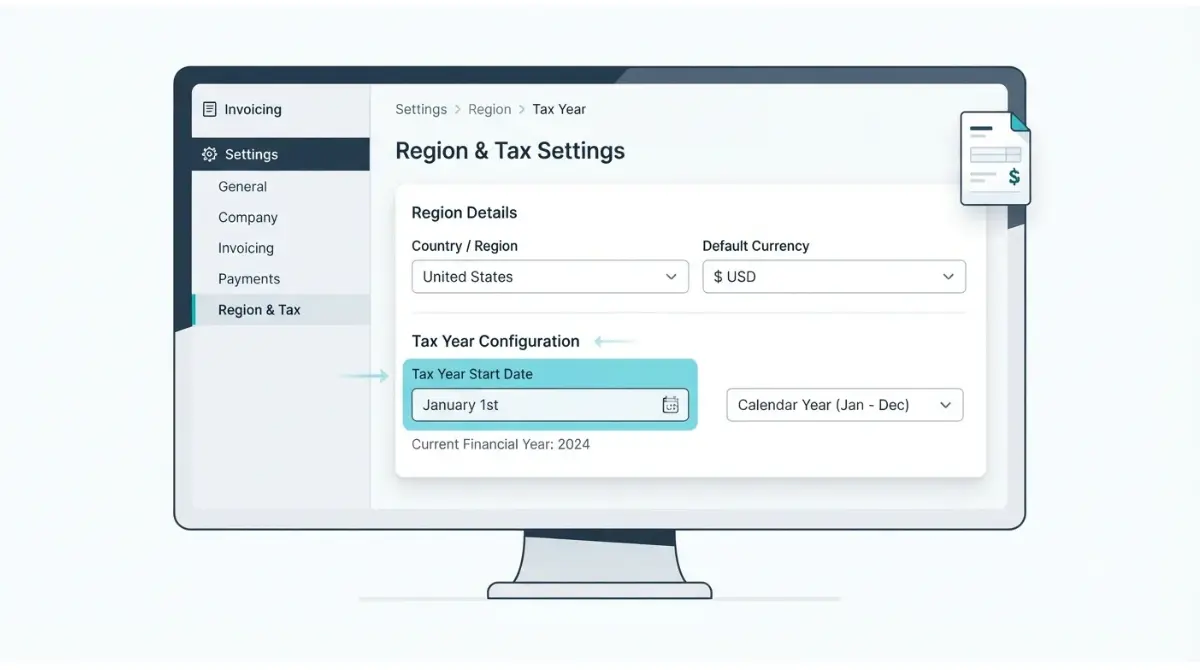
Table of Contents
🧾 Not Tested: We did not use Invoice Simple to write this. Every settings path below comes from the vendor’s help articles, with each article’s date given where it is cited. Nothing here describes how the app looks or behaves in use.
Open Settings (gear icon, upper left), then Region: under Account in the mobile app, or scroll down in the web app. Edit the tax year option; changes save when you go back or leave the page. Invoice Simple’s help article for this is dated March 10, 2023 (read 2 October 2026) and doesn’t say what the setting changes, so check your reports afterward.
Why the Invoice Simple tax year looks wrong
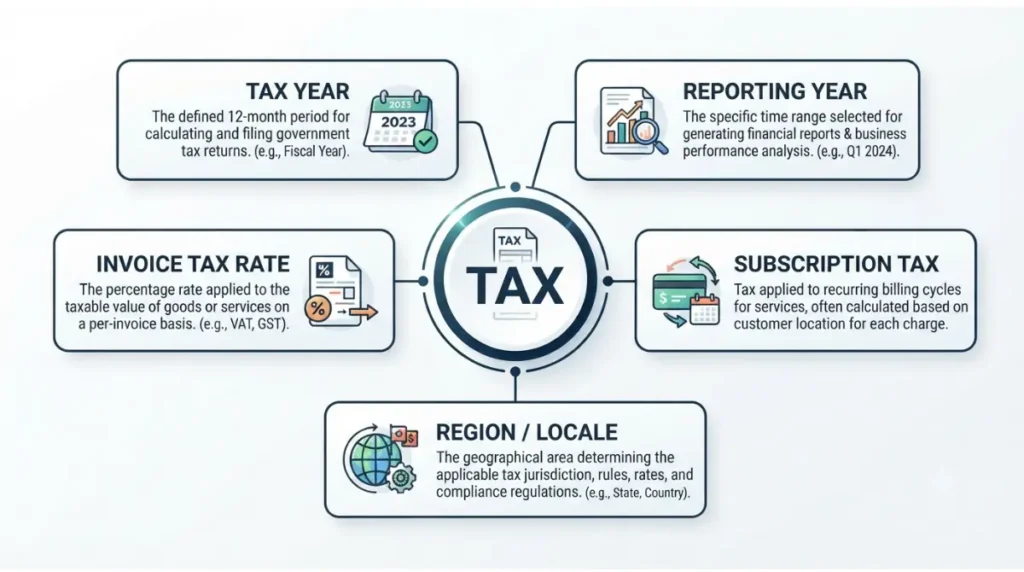
A wrong tax year in Invoice Simple can mean five different things, and only one of them is the tax year setting.
Five settings people call “tax”
| What you see | Setting and source date | Covered in |
|---|---|---|
| Year-based totals look off | Region tax year option, March 10, 2023 | Next section |
| Wrong year in Reports | Reports year selector, per the Reports article, December 13, 2024 | Reports section |
| Tax added wrongly to invoices | Tax setting, per the tax article, December 12, 2024 | Tax section |
| Tax on your subscription | Subscription notice, September 2, 2025 | Tax section |
Why web and mobile region options differ
On the web app, language and similar defaults come from your browser, per the March 10, 2023 help article. Currency, locale, date format and tax year can still be changed there. The mobile article lists language among the Region options instead, alongside date format.
How to change the tax year in Invoice Simple
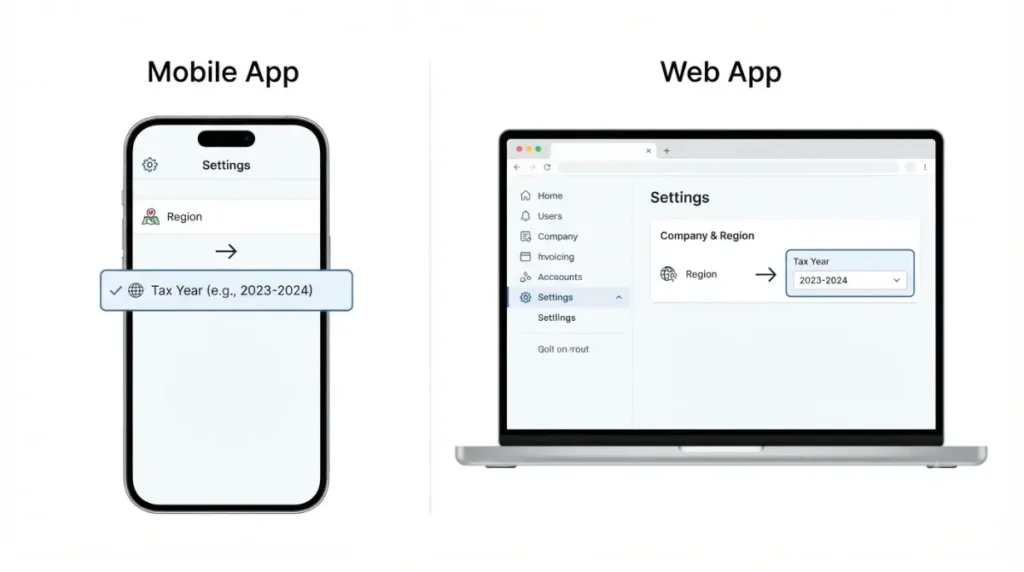
Both surfaces follow Invoice Simple’s help article dated March 10, 2023 (read 2 October 2026), which says these details can be changed at any time.
Mobile app
- Tap the gear icon at the upper left to open settings.
- Tap Region under Account.
- Edit the tax year option; the preview panel shows the change.
- Go back; the article says going back saves your changes.
Web app
- Select the gear icon at the upper left to open settings.
- Scroll down to Region.
- Edit the tax year option.
- Leave the page; the article says browsing away saves your settings.
This applies to the iOS app (version 6.9.1 on its App Store listing, 2 October 2026) and the web app, which has no public version number. No Android version was retrieved. If your screen differs, see how the app and web versions differ.
Invoice Simple reports showing the wrong year
As of 2 October 2026, Invoice Simple’s help articles describe Reports and the tax year option separately and never link them.
Reports open on the current year
Per the Reports article dated December 13, 2024, the mobile app opens Reports on paid totals by month for the current year, with earlier years selectable at the bottom of the screen. Open More, then Reports. The article documents mobile only and doesn’t say which date a paid total uses.
Export an exact date range instead
Per the export article dated July 22, 2025, Export Invoice Summary in settings, under the Invoice header, asks for a date range and a format: PDF, XLSX or CSV. The July 22, 2025 article adds that PDF exports currently cover two months at a time, with no limit stated for XLSX or CSV. Full walkthrough: exporting Invoice Simple invoices as CSV or PDF.
What Invoice Simple’s help center doesn’t say
As of 2 October 2026, the help articles cited here leave several points unstated; that is not proof the app lacks them.
Documented vs not stated
| Question | Stated? | Source and date |
|---|---|---|
| What values the tax year option offers | No | Region article, March 10, 2023 |
| What the tax year option changes | No | Region article, March 10, 2023 |
| Whether Reports follow it | No | Reports article, December 13, 2024 |
| Web app path to Reports | No | Reports article, December 13, 2024 |
| Which date a paid total uses | No | Reports article, December 13, 2024 |
Asking support
Invoice Simple’s help pages list support@invoicesimple.com (read 2 October 2026). Ask what the tax year option changes and which reports follow it; a dated vendor reply is the only first-party answer. If the steps above don’t resolve it, this is where self-service ends.
Tax rate or subscription tax instead of tax year
Two other settings get mistaken for the tax year, and neither lives on the Region screen.
Tax on your invoices
Per the tax article dated December 12, 2024, the tax rate is set under Tax in settings: under the Invoice header on mobile, or by scrolling down on the web app. You choose how tax applies (on the total, deducted or per item), the percentage and a label. Several tax types on one invoice need Per Item. The mobile text also mentions an inclusive option.
Tax on your subscription
A notice dated September 2, 2025 announced that Invoice Simple would start collecting taxes on subscriptions, depending on your region. It asks for a business address on your account (Settings, then Business Info) and states no amounts or rates. For plan costs, see Invoice Simple’s pricing.
Keep your Invoice Simple tax year right
A short routine catches a wrong setting before it reaches a report.
A quick check after any change
✅ Do This: Note one total from Reports before you change anything, so you can see whether the change moved it.
- Make the change, then go back or leave the page.
- Reopen Region and confirm the tax year option still shows your choice.
- Compare the Reports total with the one you noted.
Confirm your actual tax year elsewhere
Invoice Simple’s article, dated March 10, 2023, lists the tax year among details about where you do business. In the US, the IRS says a business adopts a tax year by filing its first return on it (page last reviewed 27 January 2026); see how the IRS defines tax years. Confirm yours with your tax authority or accountant, not the app.
Invoice Simple tax year FAQ
1. Where is the Invoice Simple tax year setting?
Settings (upper-left gear icon), then Region: under Account on mobile, scroll down on web, per the March 10, 2023 article.
2. Does Invoice Simple save tax year changes automatically?
Yes. Per the March 10, 2023 article, changes save on going back (mobile) or leaving the page (web).
3. Why does the Invoice Simple web app use a different language?
Per the March 10, 2023 article, the web app takes language from your browser; mobile lists it under Region.
4. Does the Invoice Simple tax year setting change my reports?
Not stated. Articles dated March 10, 2023 and December 13, 2024 don’t link the tax year option to Reports.
5. How do I export Invoice Simple invoices for a date range?
Settings, then Export Invoice Summary: choose a date range and PDF, XLSX or CSV (article dated July 22, 2025).
6. Is the Invoice Simple tax year the same as the invoice tax rate?
No. Tax rates sit under Tax in settings (article dated December 12, 2024); the tax year is a Region option.
7. Why is Invoice Simple charging tax on my subscription?
A notice dated September 2, 2025 announced subscription tax collection by region and asks for a business address.
8. Which tax year should I choose in Invoice Simple?
The app’s articles don’t say; ask your tax authority or accountant. The IRS defines US tax years (page reviewed 27 January 2026).
What to do next
Open Region, set the tax year option, then check Reports and, for an exact period, export a date range. As of 2 October 2026, Invoice Simple’s help articles don’t say what the option changes, so write to support if it matters to your records. For the wider cost picture, read is Invoice Simple worth it once you count the real cost.