Stuck on Invoice Simple Stripe Setup? What Each Status Means
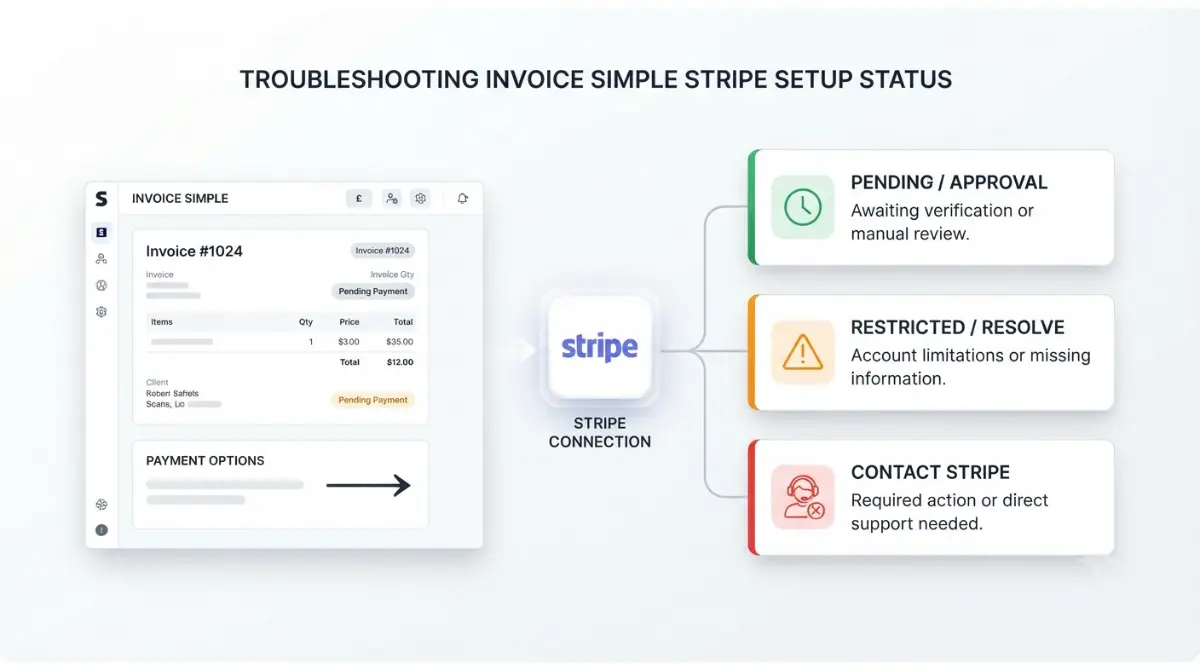
Table of Contents
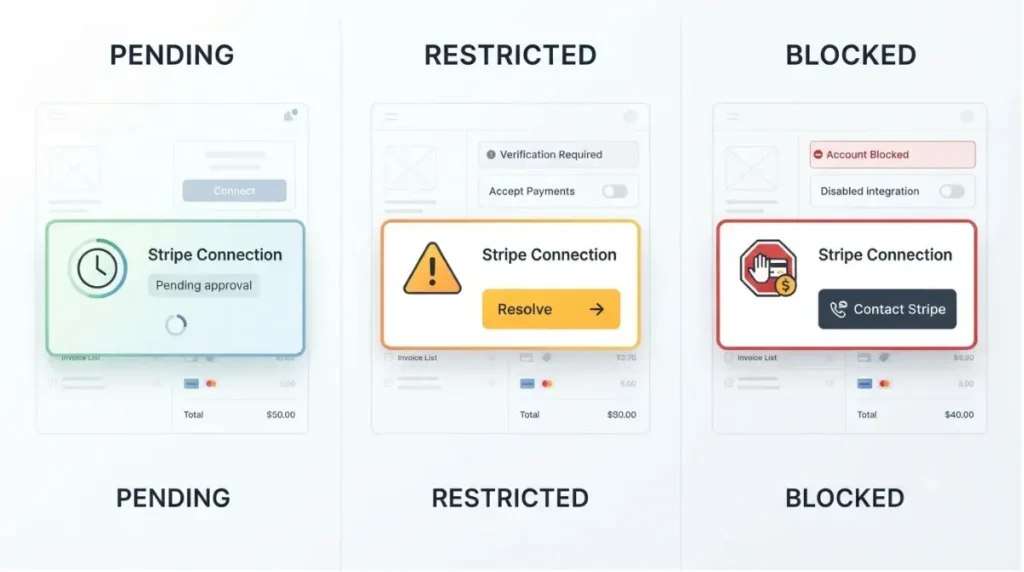
Invoice Simple’s help center lists Stripe fees for U.S. and Canadian customers; its fee page, dated 21 May 2026, names both. A stuck setup shows one of three states: a clock, an exclamation mark (restricted; tap resolve), or a blocked prompt (contact Stripe). The help center documents no Stripe setup for other countries.
Which Invoice Simple Stripe state are you in?
The vendor’s setup article, retrieved 1 October 2026, puts the Stripe option under Payments in Settings and is written for the mobile app.
Not started or not offered
The next section covers countries; the article does not say what a reader elsewhere sees. It also says you need a new Stripe account even if you already have one.
Mid-application or pending
A clock beside Stripe means the application is submitted and awaiting approval. Mistakes mid-form can be corrected only at the final confirmation step.
Restricted or blocked
An exclamation mark means restricted; a “Contact Stripe” prompt means blocked.
What Invoice Simple documents by country
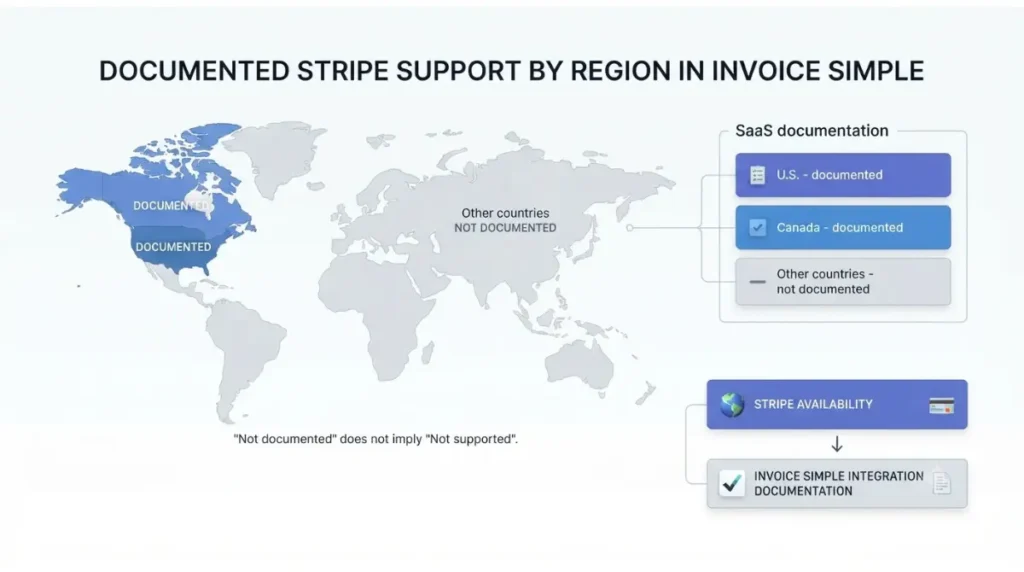
The vendor’s fee page, dated 21 May 2026, lists Stripe payment methods separately for U.S. and Canadian customers; its client-view article, dated 2 April 2026, matches.
What is listed for U.S. and Canada
| Method | U.S. | Canada | Other |
|---|---|---|---|
| Cards, wallets, Stripe Link | Listed · 21 May 2026 | Listed · 21 May 2026 | Not documented · 1 Oct 2026 |
| ACH bank transfer | Listed · 21 May 2026 | Not listed · 21 May 2026 | Not documented · 1 Oct 2026 |
| Instant Payouts, Tap to Pay | Listed · 21 May 2026 | Not listed · 21 May 2026 | Not documented · 1 Oct 2026 |
“Not listed” means absent from that page, not stated as unavailable. The payments page (17 August 2026) marks ACH and Venmo U.S. only.
What isn’t documented elsewhere
None of the Stripe articles retrieved on 1 October 2026 describes setup for another country. The wording “U.S. customers” and “Canadian customers” does not say whether it means your country or your payer’s.
Why Stripe’s own list doesn’t settle it
Stripe’s availability page, retrieved 1 October 2026, lists more than 40 countries and regions. Stripe operating in your country does not show that Invoice Simple’s integration does.
✅ Do This: Ask Invoice Simple support in writing which country applies before relying on either reading.
Fix a pending, restricted or blocked Stripe account
These steps follow the vendor’s setup article, retrieved 1 October 2026, and describe the U.S. flow. For Canada the article gives no separate steps; match your state below and contact Stripe support if it does not clear.
Pending (clock)
- Tap the Stripe toggle; a pop-up confirms approval is still in progress.
- Wait: the article says approval usually takes minutes and typically completes within 24 hours.
- If the clock remains after 24 hours, contact Stripe support.
Restricted (exclamation mark)
- Tap Resolve under the Stripe logo.
- Log in to your Stripe account when prompted.
- Correct any typos in your account details; the article says this alone may clear it.
- If it persists, supply the documents Stripe requests.
⚠️ This Costs You: The article says payouts pause either soon or immediately while an account is restricted, so resolve it promptly.
Blocked (Contact Stripe)
- Tap the Contact Stripe prompt; the article calls this state rare and says it blocks payments and payouts.
- Stop there: the article documents no self-service step for a blocked account.
If the Stripe setup still won’t clear
Payout date keeps moving
Stripe’s late-payout FAQ, retrieved 1 October 2026, says a payout date that keeps moving most likely means a verification requirement is outstanding. It tells the account owner to check the Dashboard and email for requests.
Wrong details submitted
The setup article says to check account settings for typos; Stripe’s payout FAQ says users often find a typo in their bank details.
Where self-service ends
The setup article sends Stripe problems to Stripe’s bank accounts and payouts FAQ and then to Stripe support. If a restriction stays after you correct typos and submit requested documents, stop and contact Stripe support.
Where Invoice Simple’s own pages disagree
Who to contact for what
The footer of the Stripe help collection, retrieved 1 October 2026, lists support@invoicesimple.com. The setup article sends Stripe account problems to Stripe support.
The discrepancy log
| Page | What it says | Captured |
|---|---|---|
| Setup article | No country label in title; no Canada steps | 1 Oct 2026 |
| Fee and client-view pages | Separate U.S. and Canadian customer lists | 21 May 2026; 2 April 2026 |
| Delayed-payment and refund articles | Titles still read “U.S. customers only” | 1 Oct 2026 |
| Benefits article | Links setup article via older U.S.-only-labelled address; PayPal sentence inside Stripe article | 1 Oct 2026 (page dated 2 April 2026) |
Stripe and PayPal together
The Stripe and PayPal article, dated 5 December 2024, says both can be offered once each is connected. Whether PayPal works outside the U.S. and Canada is unclear: the payments page (17 August 2026) groups PayPal with U.S.-only items, while the PayPal setup article states no country limit.
For the cost side, see the full cost picture; for other limits, see Invoice Simple’s U.S.-only integrations.
Keep your Stripe setup approved
Setup itself costs nothing: the setup article, retrieved 1 October 2026, says charges apply only when a customer pays an invoice.
Match details to official records
The article says to enter details identical to the IRS record. It names no Canadian equivalent, so match whichever official records apply to you.
Watch the status icon
A clock or exclamation mark next to Stripe is the cue to act; the fixes are above.
Re-check the vendor’s pages
The setup article shows only a relative stamp, “Updated over a week ago,” so a capture date matters.
🧾 Not Tested: Stripe onboarding through Invoice Simple asks for details matching IRS records and bank routing information, which we do not have, so every state, label and timing above is the vendor’s description, not something we observed. Drafted with AI tools; each figure was checked against the first-party page linked beside it on 1 October 2026.
FAQ
1. Does Invoice Simple Stripe work outside the U.S.?
The fee page, dated 21 May 2026, lists U.S. and Canadian customers; no Stripe article retrieved on 1 October 2026 documents another country.
2. Does Invoice Simple Stripe work in Canada?
The fee page (21 May 2026) lists cards, wallets and Stripe Link for Canadian customers; Canada-specific setup steps are not documented (1 October 2026).
3. What does the clock icon mean in Invoice Simple Stripe setup, and how long does approval take?
The Stripe application is submitted but not approved. The vendor gives two timings: minutes, and typically within 24 hours (retrieved 1 October 2026).
4. What does the exclamation mark next to Stripe mean?
The account is temporarily restricted from receiving payments. The vendor says payouts pause soon or immediately; tap Resolve (setup article, retrieved 1 October 2026).
5. Can I use my existing Stripe account with Invoice Simple?
No. Per the setup article (1 October 2026), a new Stripe account is required even if you have one; the same email can be reused.
6. Can I fix a mistake mid-application in Invoice Simple Stripe setup?
Not until the last step. The vendor says errors can be corrected only at the final confirmation screen (setup article, retrieved 1 October 2026).
7. Does Invoice Simple Stripe setup cost anything?
No. The setup article (1 October 2026) says nothing is charged for setup, only when a customer pays an invoice.
8. Can customers pay by Stripe and PayPal together on Invoice Simple?
Yes. Invoice Simple’s article (5 December 2024) says both appear at checkout once each processor is connected, and you can toggle them.
Conclusion
A stuck Invoice Simple Stripe setup shows one of three states, each with its own fix: wait on the clock, tap Resolve on the exclamation mark, contact Stripe when blocked. Country coverage rests on vendor pages that disagree, logged above on 1 October 2026. Beyond those steps, contact Stripe support or Invoice Simple support.