What to Check When Invoice Simple Is Not Sending Invoices
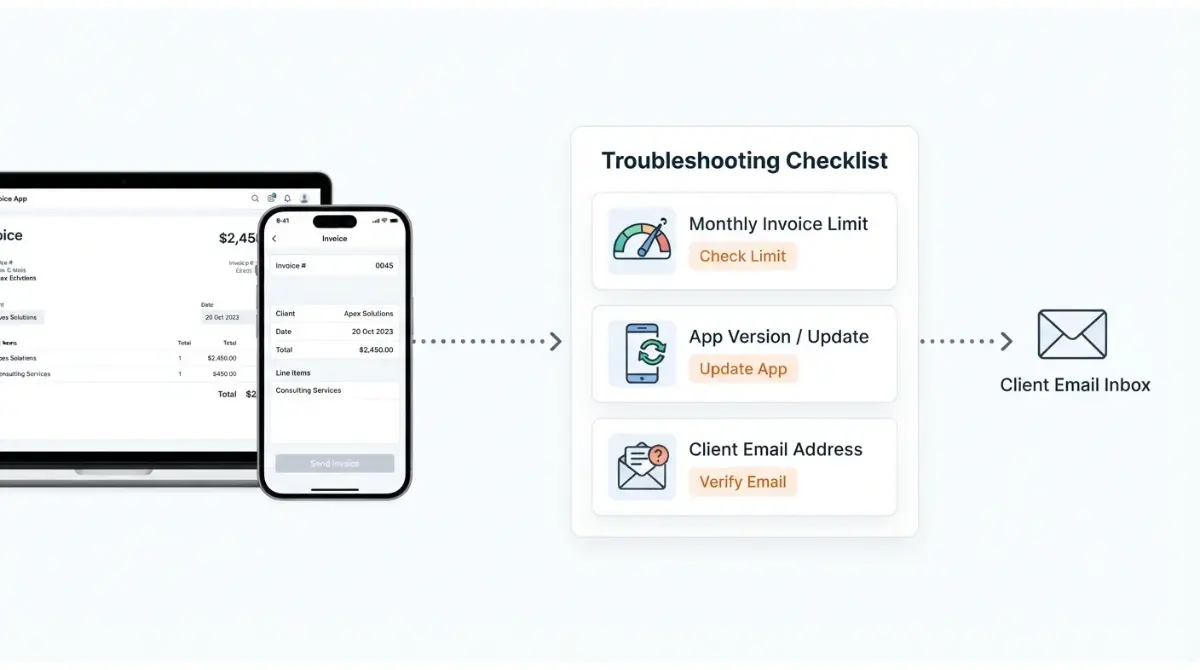
Table of Contents
If Invoice Simple won’t send an invoice, check three things in order. First, check whether your plan’s monthly invoice cap is used up: Essentials allows 3 per month and Plus 10, per the App Store listing captured 29 September 2026. Second, check whether the app is on the current build (iOS 6.15.1 on that date). Third, check that the client’s email address is spelled correctly. If all three pass, contact support@invoicesimple.com.
Did it fail to send, or did it just not arrive?
Work out which of two problems you have first. The fixes for each don’t overlap.
The app blocked the send
You tapped send and nothing went out, or the app stopped you before sending. Work through the next three sections in order, starting with your plan’s cap.
It sent but the client can’t find it
The invoice left the app, but your client says nothing arrived. Skip to the delivery checks further down. The problem is the address or the client’s inbox, not your plan or your build.
Check whether you’ve hit your plan’s invoice cap
Invoice Simple Essentials allows up to 3 invoices a month, per the App Store listing and the Google Play listing, both captured 29 September 2026.
The numbers per plan
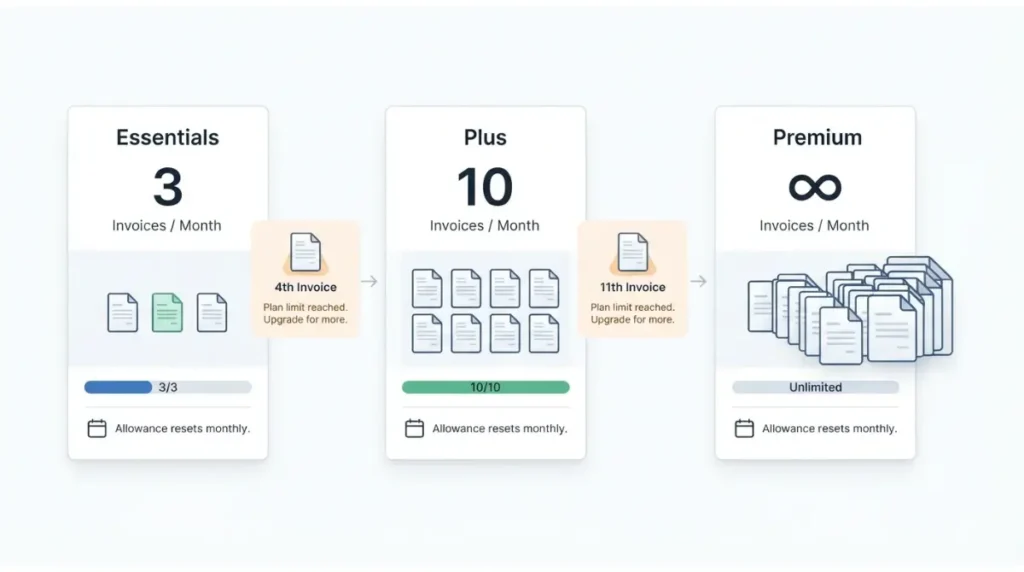
| Plan | Monthly invoices | Source and date | Who hits this |
|---|---|---|---|
| Essentials | Up to 3 — App Store and Google Play, 29 Sept 2026 | Both store listings | Anyone billing a fourth client in a month |
| Plus | Up to 10 — App Store and Google Play, 29 Sept 2026 | Both store listings | Anyone billing an eleventh client in a month |
| Premium | Unlimited — App Store and Google Play, 29 Sept 2026 | Both store listings | No monthly cap listed |
When the count resets
Invoice Simple’s Essentials help article (dated 14 January 2025, retrieved 29 September 2026) describes the allowance as estimates and invoices created from the start of your billing month to its end. It doesn’t say whether estimates count against the cap, or what the app shows when you reach it.
✅ Do This: Count the invoices you’ve created since your billing month began. If you’re at the cap, the free option is waiting for the reset. For how each plan compares beyond the cap, see what each Invoice Simple plan allows.
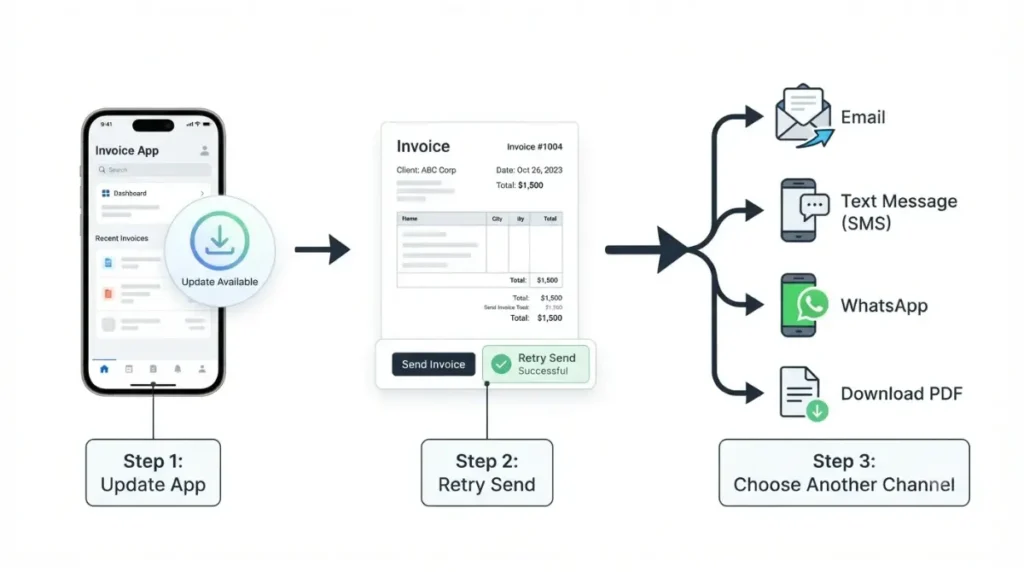
Update the app, then try another send channel
The iOS app was on build 6.15.1 on 29 September 2026, per the App Store version history. That build was listed as released five days before our capture.
Which build is current
| Build (iOS) | Date listed in App Store version history (captured 29 Sept 2026) |
|---|---|
| 6.12.1 | 31 August 2026 |
| 6.14.0 | 9 September 2026 |
| 6.14.1 | 14 September 2026 |
| 6.15.1 | Five days before capture |
Every release note in that history says only “various bug fixes.” No build is documented as fixing sending, so update to rule out an old build, not because a fix has been announced.
On Android, the Google Play listing shows a last update of 21 September 2026 but displays no version number. We can’t name the current Android build.
Send by text, WhatsApp or PDF
Both store listings, captured 29 September 2026, say invoices can be sent by email, text or WhatsApp, or downloaded as a PDF. If email keeps failing, send by another channel today so you get paid while you troubleshoot. Invoice Simple also documents sending from its web app, and the differences are covered in the mobile app versus the web app. For the PDF route, see exporting invoices as PDF.
Confirm delivery with read receipts and a CC copy
Every plan includes real-time read receipts. The store listings, captured 29 September 2026, place them in Essentials, and Plus and Premium include everything in Essentials.
Check the invoice history
Invoice Simple’s Essentials help article says read receipts notify you when an invoice is delivered and when it’s read. It also says the Invoice History shows when each invoice was created and read.
- If the invoice shows as delivered but not read, ask the client to check their spam or junk folder and to search their inbox for your business name.
- If it doesn’t show as delivered, open the client’s details, check the email address letter by letter, correct it, and resend.
Turn on “send me a copy”
A Help Center article dated 6 April 2022 describes a mobile setting called “Send me a copy of emails.” With it on, each invoice you email also reaches you, with [CC] at the start of the subject line. That article predates the app’s current builds, and we couldn’t confirm where the setting sits today.
Check device support, then contact Invoice Simple
Invoice Simple publishes two different iOS minimums, both retrieved 29 September 2026.
The vendor’s two different OS minimums
| Source | iOS minimum | Android minimum |
|---|---|---|
| App Store listing, 29 Sept 2026 | iOS 15.1 or later | Not listed |
| Help Center OS article, 29 Sept 2026 | iOS 16.x and higher | Android 7.0 and higher |
Meet the stricter figure, iOS 16. The Help Center article pairs Android 7.0 with a release name that doesn’t match that version, so go by the number. The same article shows how to check your phone’s version.
How to reach support
If your plan isn’t capped, your build is current, your phone meets the minimum, and the address is right, stop troubleshooting here. The Help Center’s contact page, retrieved 29 September 2026, lists support@invoicesimple.com around the clock, plus in-app chat for real-time help. Include your plan name, app build, phone OS, the invoice number, and the client’s address.
How to avoid a blocked send next month
Most repeat failures come back to the first two checks.
Track your count against the cap
If you’re on a capped plan (see the table in the cap section), note the day your billing month starts and keep a running count. That way you won’t find out on the invoice that matters.
Keep CC copies on
A copy in your own inbox tells you instantly whether an invoice went out. That settles the “never got it” conversation.
🧾 Not Tested: We did not send invoices from a live Invoice Simple account for this article. The app’s behaviour at the monthly cap, its current menu layout, and any error text are therefore unverified here. Everything above is taken from Invoice Simple’s store listings and Help Center, captured 29 September 2026.
FAQ
1. Why won’t Invoice Simple send my invoice?
Check four causes in order: a used-up monthly invoice cap, an outdated app build, an unsupported phone OS, then a mistyped client email address.
2. How many invoices does Invoice Simple Essentials allow?
Essentials allows up to 3 invoices a month, per Invoice Simple’s App Store and Google Play listings, both captured 29 September 2026.
3. Does Invoice Simple Plus have an invoice limit?
Yes. Plus allows up to 10 invoices a month, and Premium lists no monthly cap, per both store listings captured 29 September 2026.
4. How do I know if my client opened my Invoice Simple invoice?
Read receipts, included from Essentials upward, notify you when an invoice is delivered and when your client reads it.
5. Can Invoice Simple send me a copy of every invoice?
A 2022 Help Center article describes a “Send me a copy of emails” setting. We couldn’t confirm where it sits in current builds.
6. Can I send an Invoice Simple invoice by text or WhatsApp?
Yes. Both store listings say Invoice Simple invoices can go by email, text or WhatsApp, or be downloaded as a PDF.
7. Which phone versions does Invoice Simple support?
As of 29 September 2026, Invoice Simple’s Help Center says iOS 16 or Android 7.0 and higher, while the App Store says iOS 15.1. Meet iOS 16.
8. Does updating Invoice Simple fix sending problems?
Updating rules out an old build. However, no release note in the App Store history captured 29 September 2026 mentions a sending fix.
9. How do I contact Invoice Simple support?
Email support@invoicesimple.com, which the Help Center says is answered 24/7, or use the in-app chat for real-time help.
The order that saves the most time
Work the checks in sequence: cap, build, phone OS, address. Hand over to support once all four pass. If the cap stops you more than once, the real question is whether the plan fits your volume, and what Invoice Simple actually costs to run weighs exactly that.