Xero mobile app vs web and every feature the app leaves out
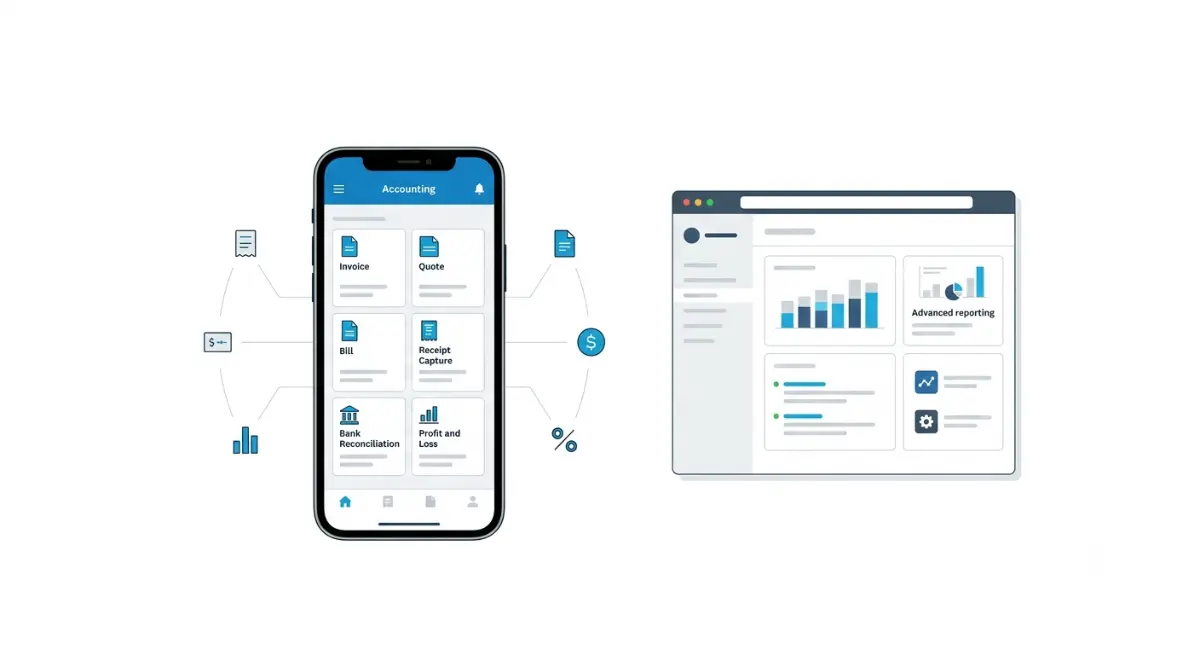
Table of Contents
Xero’s mobile app gives you a profit and loss view, not the report library — and no app connections. Xero says so itself: its Google Play listing, updated 4 September 2026, tells users to log in at xero.com to unlock reporting and connected apps. Payroll, projects and expenses each need a separate app. The workaround is Xero web in a mobile browser.
What the Xero app is built to do
The Xero Accounting app is a companion to your account, not a second copy of Xero. Xero’s own US apps page describes it in exactly those terms — an app for routine tasks and remote viewing, retrieved 5 September 2026.
The jobs it handles
Invoices, quotes, bills, contacts, receipt capture, bank reconciliation and Tap to Pay all work from a phone. For bookkeeping done between appointments, that covers most of a working day.
Why the scope is deliberate
The app is built for what you do standing up. Anything needing a wide screen and a deep menu stayed on the web, and that split is the source of nearly every surprise below.
What you cannot do in the Xero app
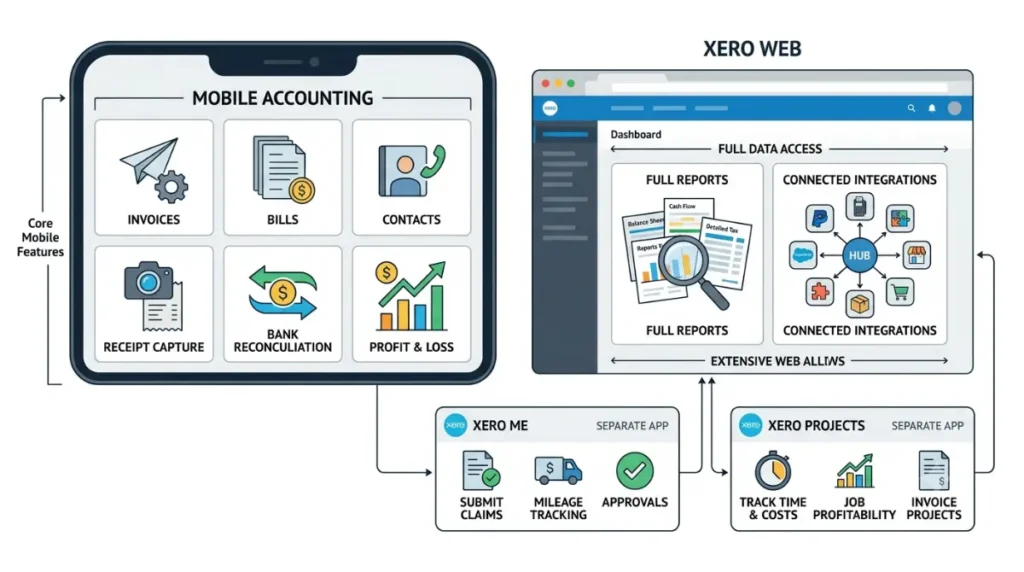
Xero names the gaps itself. Its Google Play listing, updated 4 September 2026, directs users to log in at xero.com to unlock reporting, connected apps and additional features — a line the App Store listing for the same app, version 10.107.0 released 23 August 2026, does not carry.
| What’s missing on mobile | Why it’s missing | Where it lives |
|---|---|---|
| The full report set | Not in the app | Xero web |
| App connections and integrations | Not in the app | Xero web |
| Payroll documents | Separate app | Xero Me |
| Expense and mileage claims | Separate app, and plan-gated | Xero Me |
| Project tracking | Separate app | Xero Projects |
Compiled from Xero’s App Store and Google Play listings, both retrieved 5 September 2026.
Reporting stops at profit and loss
The app carries a profit and loss report you can view on a cash or accrual basis and drill into, per the App Store listing retrieved 5 September 2026. Everything else Xero can report on is a web job.
Connected apps are a browser task
Integrations are set up in Xero web, not on the phone. Which connections a plan actually allows is a separate question, and one we answer in how Xero’s integrations and their plan limits work.
The features your plan hides, not the app
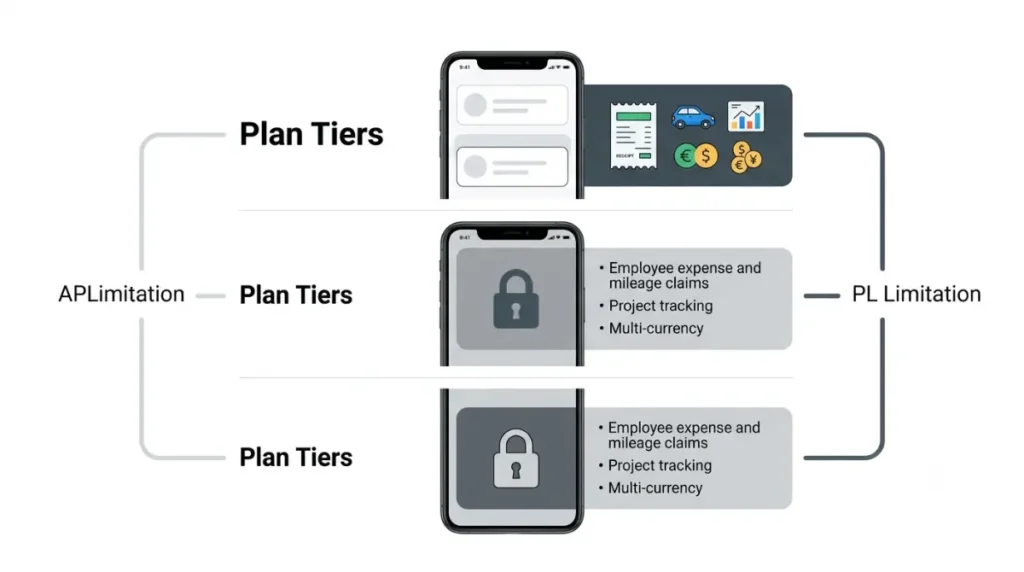
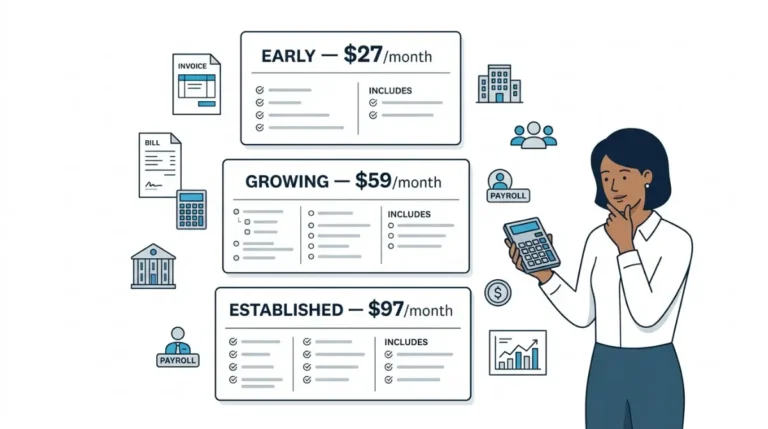
Three of the gaps above are not app limitations at all. Employee expense and mileage claims, project tracking and multi-currency sit on the Established plan, per Xero’s US pricing page retrieved 5 September 2026. Xero’s project tracking page, retrieved the same day, confirms Projects is included automatically in Established.
⚠️ This Costs You: On Early or Growing, installing Xero Me changes nothing. The claims feature is not on your plan, so the app opens without it and the download was wasted effort. Check the plan before you check the app.
Which tier blocks which feature is its own subject — see which tier blocks which feature. What each plan costs, and what leaving costs, sits in what a Xero plan costs and what leaving costs.
When it is your user role, not the app
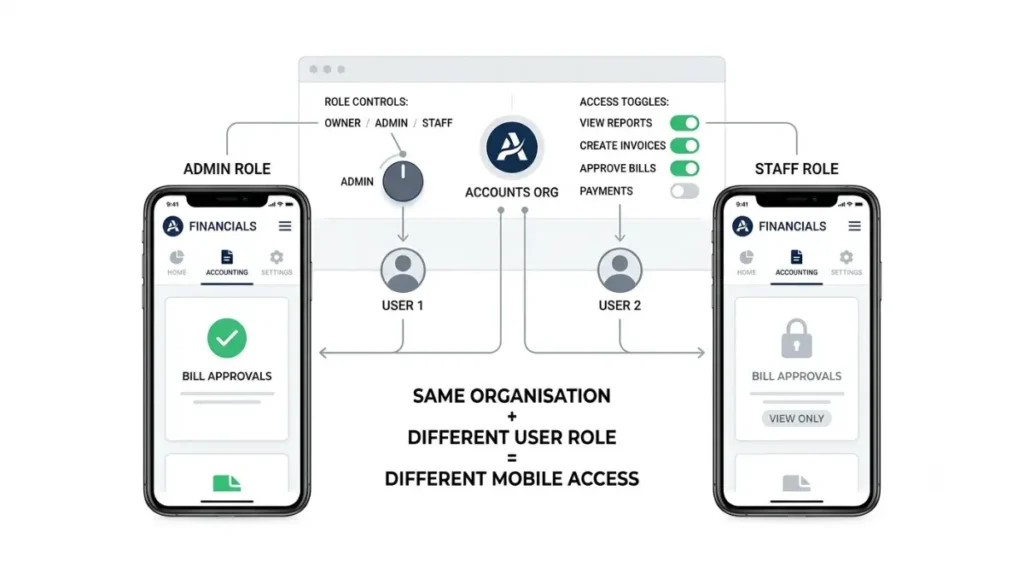
If a colleague can see something on their phone that you cannot see on yours, the cause is your user role, not the software. Xero states this plainly in the Xero Me listing retrieved 5 September 2026: you get only the mobile features your organisation has enabled for your role.
The thirty-second test
Ask someone with a different role in the same organisation to open the same screen. If it appears for them, nothing is broken and reinstalling will not help.
What changes it
An administrator changes it, not you. Which permissions govern which screen is covered in which user role sees what.
Xero is not one app on your phone
Xero ships five mobile apps. Its US apps page, retrieved 5 September 2026, lists the Xero Accounting app, Xero Verify, an expenses app, Xero Projects and Hubdoc — one login across all of them, different permissions for each.
Worth knowing before you go looking: that page calls the expenses app the “Xero Expenses app,” while the App Store lists it as Xero Me. Searching the store for the name Xero uses on its own site does not find it.
| App | What it covers | Requirement (checked 5 Sep 2026) |
|---|---|---|
| Xero Accounting | Invoices, bills, reconciliation, P&L | iOS 16.0+ / iPadOS 16.0+; iPhone and iPad |
| Xero Me | Expense, card and mileage claims | iOS 18.0+; iPhone only |
| Xero Projects | Project time and costs | Established plan |
| Hubdoc | Document capture | Hubdoc organization |
| Xero Verify | Multi-factor login | All users |
💵 Verified: Xero Accounting requires iOS 16.0 or later and runs on iPad — App Store listing, retrieved 5 September 2026. Xero Me requires iOS 18.0 or later and is listed for iPhone only — App Store listing, retrieved 5 September 2026.
The consequence is easy to miss. Run your business from an iPad and you can invoice and reconcile all day, but you cannot submit an expense claim on that device at all, because the app that does it has no iPad version. On Android, Xero’s technical requirements page lists a minimum of Android 9 and a Google-certified device — worth checking against your handset with our device requirements checker before you assume an older phone will run it.
Use Xero web in your phone browser
For everything the apps do not cover, open a browser and log in at xero.com. Xero supports this directly; it is not a workaround the company disapproves of.
What you need
Safari, Chrome, Firefox, Edge or Samsung Internet, with cookies and JavaScript enabled, per Xero’s technical requirements page. Your device clock also has to match its time zone.
What to expect
🔍 Why It Works This Way: Xero states that interactive content — bank reconciliation and reports specifically — cannot be stored in your browser cache and is fetched from Xero each time. That is why the browser route feels slower than the app on a weak connection. It is the mechanism, not your phone.
✅ Do This: Bookmark the Xero login page on your phone’s home screen. When the app cannot do the thing, you are one tap from the version that can, rather than hunting for a laptop.
🧾 Not Tested: We did not use a paid Xero organisation to write this. Everything above comes from Xero’s published pages and app store listings, captured on 5 September 2026. What we could not verify first-hand: how the current app navigation is laid out, and how the browser route performs on a real device. Xero redesigned the app’s navigation in version 10.98.0 on 16 April 2026, so any description of its menus written before that date is out of date — including several currently ranking for this query.
Xero mobile app questions
1. Can you run reports in the Xero mobile app?
Only the profit and loss report, viewable on a cash or accrual basis. Xero’s wider report set needs the web.
2. Can you do payroll in the Xero Accounting app?
No. Payroll documents sit in Xero Me, a separate free app that needs permission from your employer before you can log in.
3. Why can’t I see features other users can see?
Your user role decides it. Xero states you only get the mobile features your organisation has enabled for your role.
4. Does the Xero mobile app cost extra?
No. All five Xero apps are free to download. You need a paid Xero plan or a trial organisation to use them.
5. Can I use Xero in a phone browser instead?
Yes. Log in at xero.com using Safari, Chrome, Firefox, Edge or Samsung Internet, with cookies and JavaScript enabled.
6. What iOS version does the Xero Accounting app need?
iOS 16.0 or later, or iPadOS 16.0 or later, per the App Store listing retrieved 5 September 2026.
7.Does Xero Me work on iPad?
No. The App Store lists Xero Me for iPhone only, retrieved 5 September 2026. The Xero Accounting app does support iPad.
8. Are expense claims in the Xero Accounting app?
No. They are in Xero Me, and the feature sits on the Established plan rather than Early or Growing.
9. Can I connect integrations from my phone?
No. Xero’s Google Play listing directs users to xero.com for connected apps, retrieved 5 September 2026.
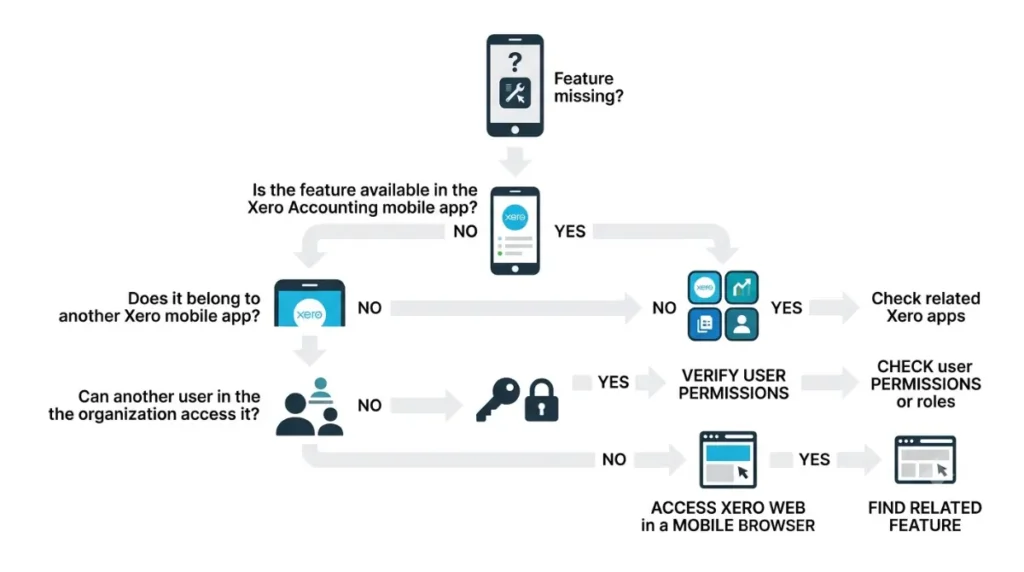
Which route fits your gap
If the feature is genuinely absent from the app, open Xero web in your browser. If it belongs to another Xero app, install that one and check its device requirements first. If a colleague can see it and you cannot, ask an administrator about your role.