Xero user roles and permissions, with the real limits of each
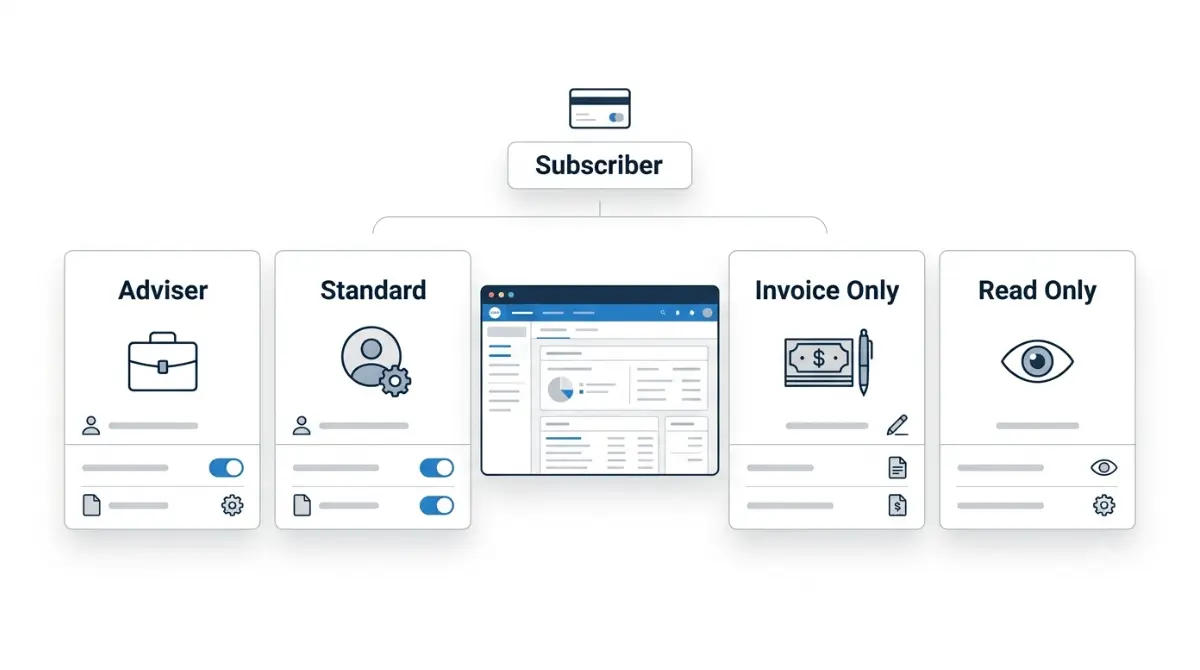
Table of Contents
🧾 Not Tested: We did not log in to a Xero organisation to write this. Every role definition below comes from Xero’s published documentation and every charge from Xero’s published UK pricing, both retrieved 5 September 2026. We have not seen the users screen ourselves and do not describe it.
Xero has four business-edition user roles — adviser, standard, invoice only and read only — plus a separate subscriber who alone controls the plan and billing. Since Xero’s 3 August 2026 reporting-permissions release, invoice-only users can run sales or purchase reports, and banking is optional for standard users. Payroll, expenses and projects sit outside all four roles.
The four roles, and the subscriber who isn’t one of them
Xero splits access into two things people routinely confuse: the user role you assign an invited person, and the subscriber who pays for the organisation.
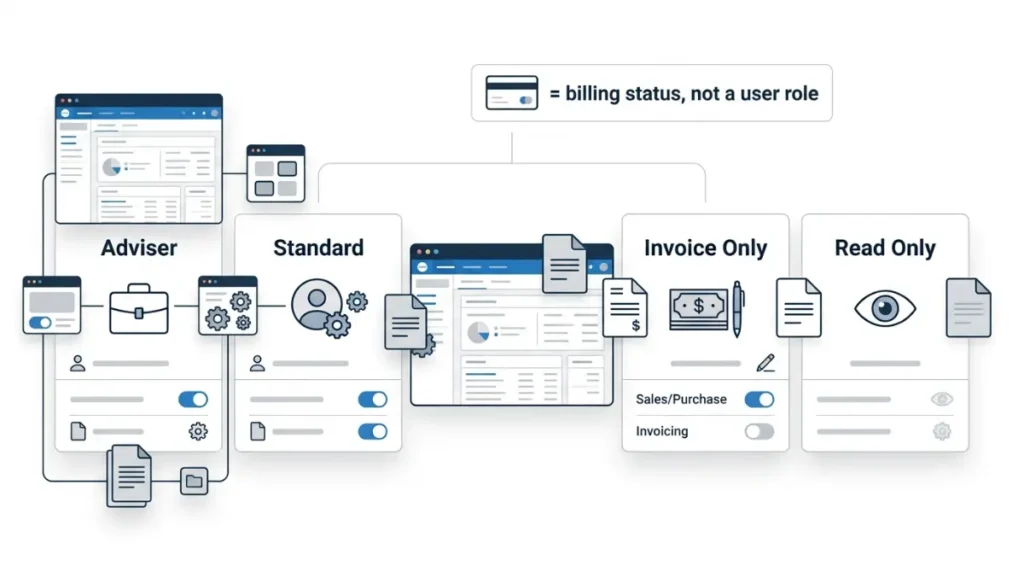
The four roles you choose from
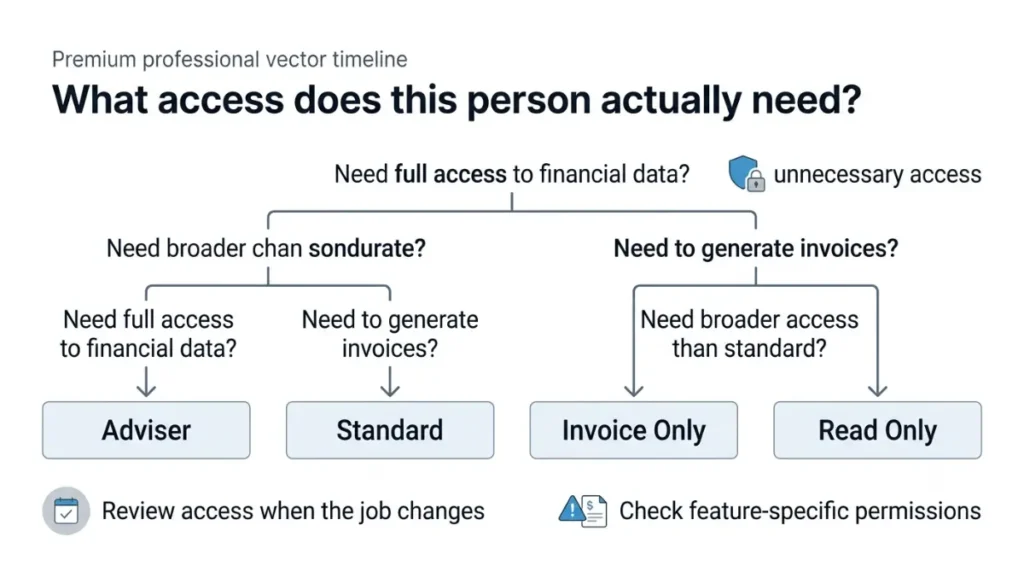
Every invited user holds one of four roles — adviser, standard, invoice only or read only. There is no “admin” role in Xero business edition, despite what several currently-published guides state.
Why the subscriber sits outside them
The subscriber is the billing account holder, not a fifth role. Xero Central states that only adviser and standard roles reach Xero settings, and that viewing or changing the organisation’s billing account and pricing plan requires being the subscriber. We cover who the subscriber is and what they control separately.
What each role can do
Here is what each role opens, captured from Xero’s own role and permission reference on 5 September 2026.
| Role | Bank and reconciliation | Reports | Settings | Plan and billing |
|---|---|---|---|---|
| Adviser | Full | Full | Yes | Only if also the subscriber |
| Standard | Almost full; optional since Aug 2026 | Optional | Yes | No |
| Invoice only | No | Sales or purchases only | No | No |
| Read only | View only | Cannot run new reports | No | No |
Adviser and standard
Advisers have full access to all areas of Xero, and cannot change the pricing plan or payment details unless they are the subscriber. Standard users have almost full access, with optional access to cash coding and reports.
Invoice only and read only
Invoice only splits into drafts only, sales, and purchases. Read only users can view most areas of Xero but cannot create or edit transactions, or run new reports.
The permissions you add on top
Separate task-specific permissions cover contacts, user settings, reports, projects, expenses and bill payments. The manage-users permission is what lets an adviser or standard user add other people or change existing roles.
The permissions that add to your bill
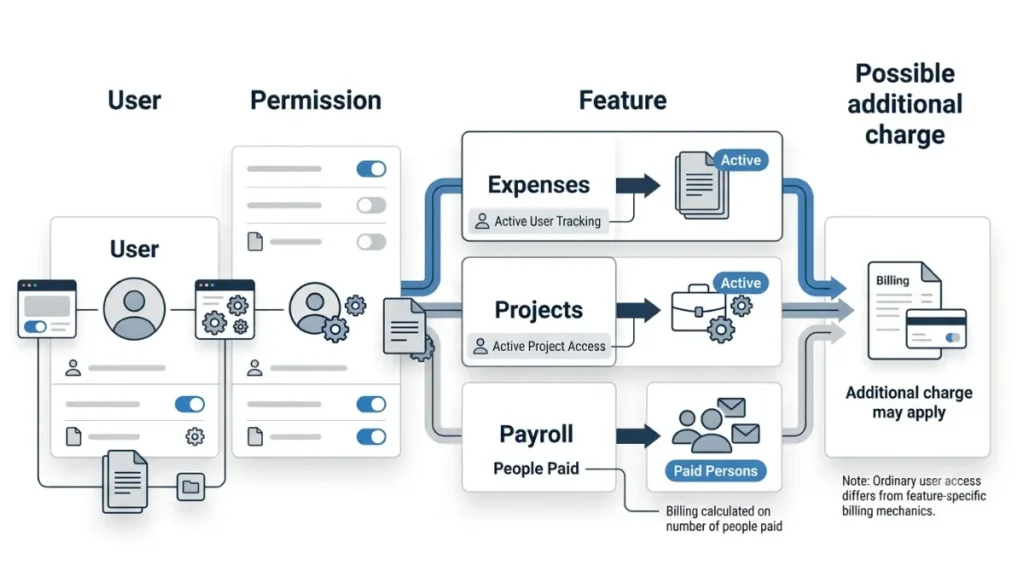
Xero’s UK pricing page advertises no per-user licence fees. The same page states that invited users with access to payroll, expenses, bill payments or projects may trigger additional charges once the included allowance is exceeded, and that limits for Xero Projects and Xero Expenses are per active user, per month.
⚠️ This Costs You: Expenses and projects are billed per active user, so granting one of those permissions is itself the billable event — not the login. A free extra login and a chargeable extra seat look identical on the users screen.
| Feature | Plans that include it | Included allowance | Each extra active user | Who hits this |
|---|---|---|---|---|
| Xero Expenses | Grow, Comprehensive, Ultimate | 1 / 5 / 10 users | £2.50 a month (5 Sep 2026) | Teams giving claim access to staff |
| Xero Projects | Ultimate only | 10 users | £5 a month (5 Sep 2026) | Agencies tracking time to jobs |
| Payroll | Grow, Comprehensive, Ultimate | 1 / 5 / 10 people paid | £1.50, or £1 on Ultimate (5 Sep 2026) | Anyone growing the payroll |
Figures from Xero’s Comprehensive and Ultimate plan pages and its UK pricing plans page, all retrieved 5 September 2026. UK list prices, excluding VAT; US and Australian lineups differ.
🔍 Why It Works This Way: Payroll is the exception in that table. Payroll reports need payroll admin access even where a user’s role already permits reports, so the access is a permission — but the charge follows people paid, not people granted access. Granting payroll admin costs nothing by itself.
🗓️ Pricing verified 5 September 2026. Software pricing changes frequently — confirm on Xero’s site before purchasing.
Which features each plan blocks and what each Xero plan costs and what leaving costs are covered separately.
What changed in August 2026, and what Xero says is still coming
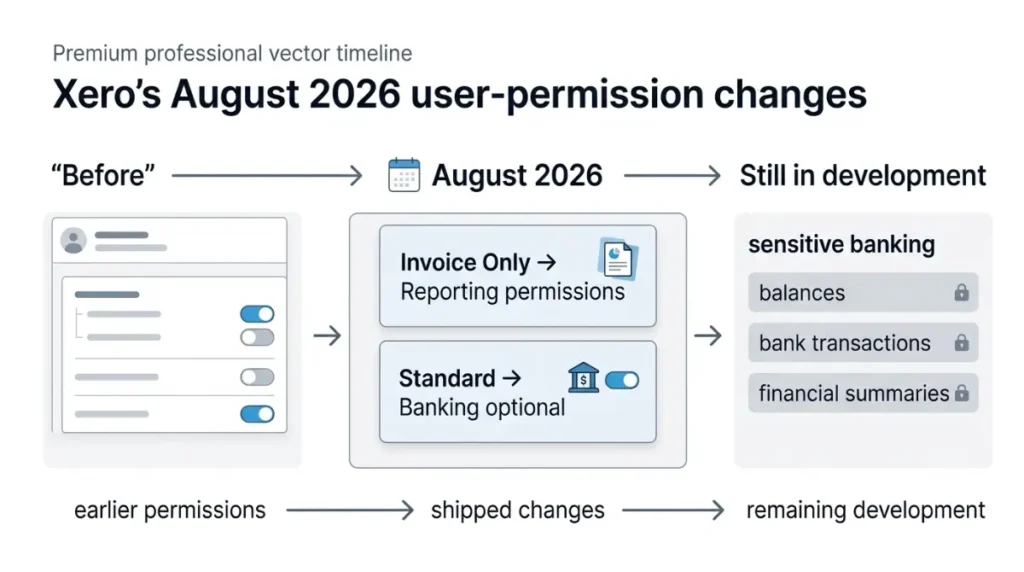
On 3 August 2026 Xero marked its reporting-permissions work completed on its public product ideas board — the change most published guides on this topic predate.
What shipped
Xero’s community manager stated that invoice only sales and purchase users can now be granted granular reporting permissions, letting them run invoice reports such as aged receivables without full access to financial and management reports, and that banking was made an optional permission for standard users so balances and transactions can be hidden. The rollout began on 23 July 2026 and was phased.
What still isn’t possible
Xero states you cannot fully customise the areas opened to a user — you pick a role and layer permissions on it. On 20 March 2026 Xero said work had started on restricting sensitive banking information including account balances, bank transactions and financial summaries, and describes that work as in development. Payroll admin remains all or nothing.
If you don’t see these options
Check the users list in your organisation’s settings. Because the release was phased from 23 July 2026, availability can differ between organisations. Xero’s 3 August 2026 release note and its statement on what is still in development are both public.
Who can change roles, and what happens when someone leaves
The permission that manages other users
Give the manage-users permission only to people who should be able to hand out access themselves. Xero recommends every invited user has their own login details, and notes that organisations sharing logins have unreliable audit trails — you cannot see which user entered a transaction or changed it.
Before you remove someone
We could not confirm against a first-party Xero page on 5 September 2026 what happens to a removed user’s historical transactions, so we are not stating it. Third-party guides claim records stay attributed to them; we have not verified that and you should not rely on it.
✅ Do This: Confirm at least one other active person holds the manage-users permission before you remove anyone who has it.
What each role sees in the Xero mobile apps
App access follows the permission, not the base role — which is why two standard users can see different things on a phone.
Which app each permission opens
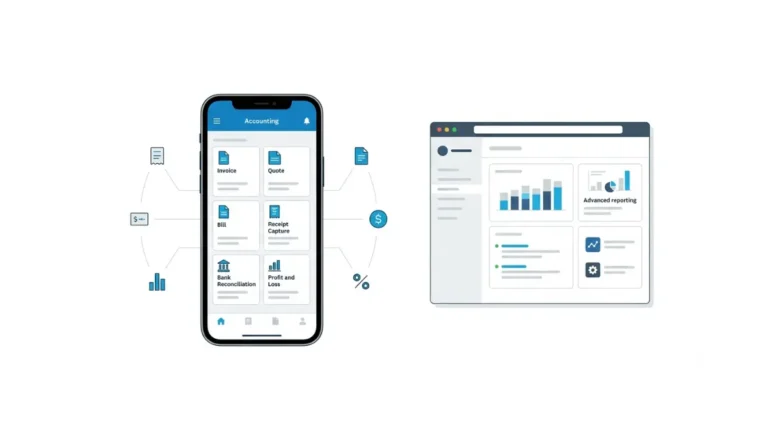
Users at each level of business and accounting permissions can reach the Xero Accounting app. The expenses submitter and approver permissions give access to the Xero Me app, and the expenses admin permission adds managing team roles, company bank accounts and cards, the chart of accounts for claims, and receipt analysis. Each level of projects permission reaches the Xero Projects app.
Where the mobile app shows less
A projects admin has full access including reports and staff cost rates, while a limited projects user can only view, add and change their own time entries. Both hold “projects access” on the users screen.
Frequently asked questions
1. What are the four Xero user roles?
Adviser, standard, invoice only and read only. The subscriber is a separate billing status, not a fifth user role.
2. What’s the difference between adviser and standard in Xero?
Advisers have full access to all areas. Standard users have almost full access, with optional access to cash coding and reports.
3. Can a standard user see bank balances in Xero?
Not necessarily. Xero made banking an optional permission for standard users in the release it completed on 3 August 2026.
4. Who can change the Xero plan and billing?
Only the subscriber. An adviser who is not the subscriber cannot change the pricing plan or payment details.
5. Does adding a user to Xero cost extra?
Xero advertises no per-user licence fees, but expenses and projects access is billed per active user each month.
6. Can invoice only users run reports in Xero?
Yes — sales or purchases reports only, following the reporting-permissions release Xero completed on 3 August 2026.
7. What can a read only user see in Xero?
Most areas of the organisation, but they cannot create or edit transactions, or run new reports.
8. How do I give someone payroll access in Xero?
Payroll admin access is granted separately. Without it, payroll reports stay hidden even from users who can run reports.
9. Can you create a custom user role in Xero?
No. Xero states you cannot fully customise the areas opened to a user; you pick a role and add permissions.
10. What happens when you remove a user from Xero?
We could not confirm this against a first-party Xero page on 5 September 2026, so we are not stating it.
Choosing the role
Pick the role by what the person must not see, then check they can still do their job — the four roles are broad, and the narrowest workable one is the right one. Re-check the users list whenever someone’s job changes, and remember that two of these permissions are billed per active user.