What the Xero to QuickBooks migration leaves behind
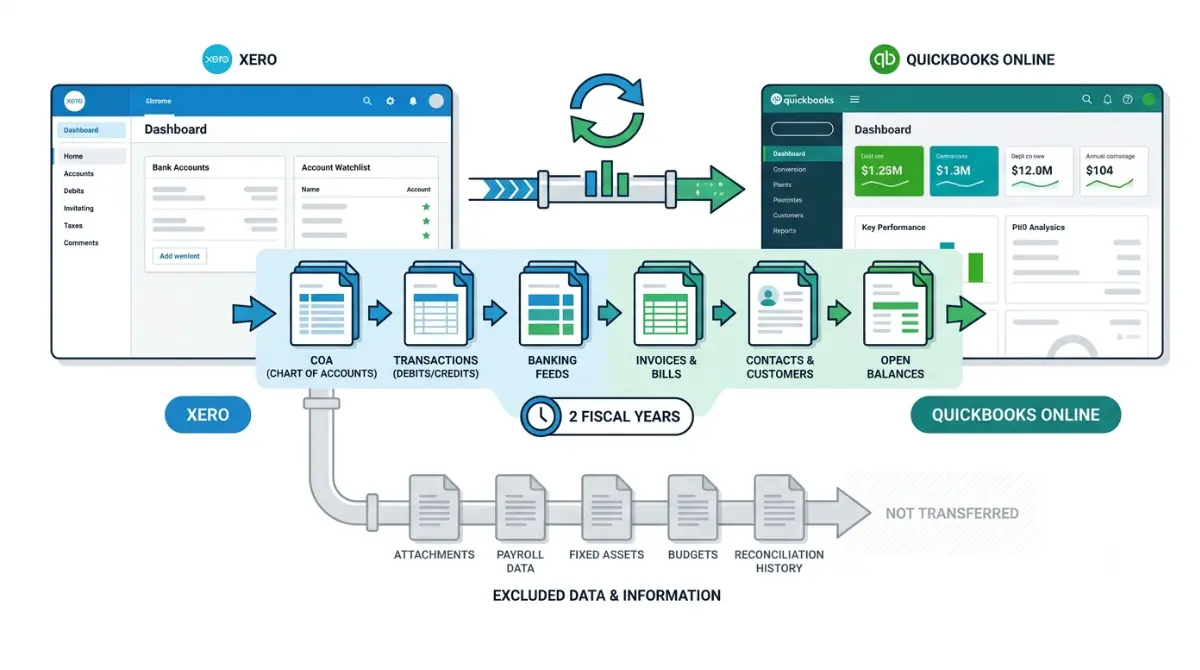
Table of Contents
Intuit’s free Xero-to-QuickBooks conversion, run by its partner Dataswitcher, moves up to two fiscal years of core ledger data — and leaves fifteen named data types behind, including payroll, file attachments, fixed assets, budgets and your entire bank reconciliation history. That list is Intuit’s own, on its conversion page retrieved 5 September 2026. Export those before you start.
What the free conversion actually covers
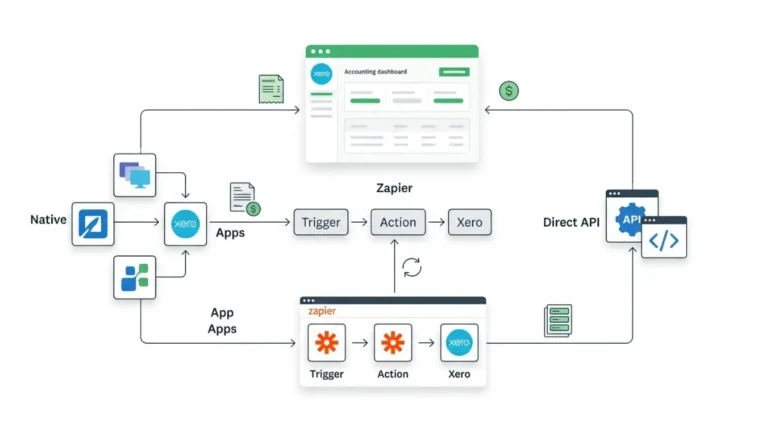
Intuit moves Xero books across through Dataswitcher, its named conversion partner.
The two-year boundary
Intuit’s conversion documentation, retrieved 5 September 2026, states the transfer runs at no charge for up to two fiscal years of core ledger data. Additional years, inventory items, tracking categories and company information carry fees Intuit does not publish — they are quoted inside the wizard. The Xero-side cost of leaving is a separate question, covered in what leaving Xero actually costs.
Whether this applies outside the US
The same page requires a Xero US organization and a paid QuickBooks Online US subscription; Intuit publishes separate regional versions we have not verified.
🗓️ Free-tier boundary verified 5 September 2026. Conversion terms change without notice — confirm on Intuit’s page before you start.
The fifteen data types that don’t transfer
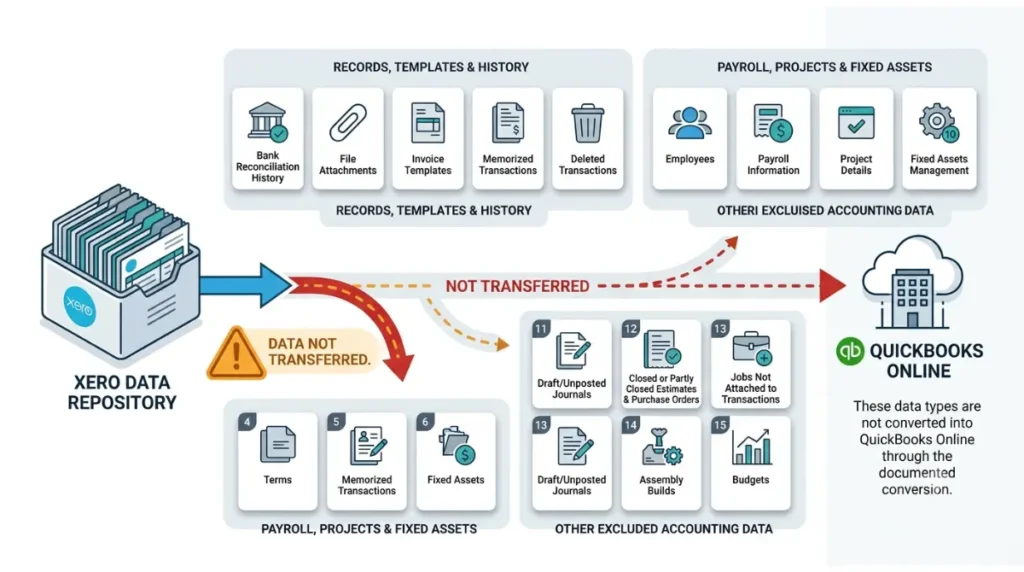
Intuit lists fifteen Xero data types its conversion cannot carry, retrieved 5 September 2026.
Records, templates and history
Eleven of the fifteen are records rather than balances. The right-hand column is our plain reading of each exclusion, not Intuit’s wording.
| Not converted | What that means in your books |
|---|---|
| Bank reconciliation history | Migrated accounts arrive unreconciled |
| File attachments | Receipts and source documents stay in Xero |
| Invoice and other templates | Invoice layouts rebuilt from scratch |
| Terms list | Payment terms re-entered by hand |
| Memorized transactions | Recurring entries recreated manually |
| Deleted transactions | Filtered out of the transfer entirely |
| Draft or unposted journals | Post or copy them before you start |
| Closed or partly closed estimates and purchase orders | No record of closed quotes |
| Jobs not attached to transactions | Unlinked jobs do not appear |
| Assembly builds | Rebuilt in QuickBooks after the move |
| Budgets | Every budget re-entered |
⚠️ This Costs You: File attachments are the exclusion people notice last. Every receipt, contract and scanned bill attached to a transaction remains in Xero, and your Xero access ends on a schedule you have already started.
Payroll, projects and fixed assets
The remaining four are whole modules.
| Not converted | What that means in your books |
|---|---|
| Employees list | Each person re-added |
| Payroll information | Employee details, pay calendars and tax records stay behind |
| Project details | Quotes, tasks, expenses and profitability stay behind |
| Fixed assets management | Asset register and depreciation schedule stay behind |
What arrives, but not the way it left
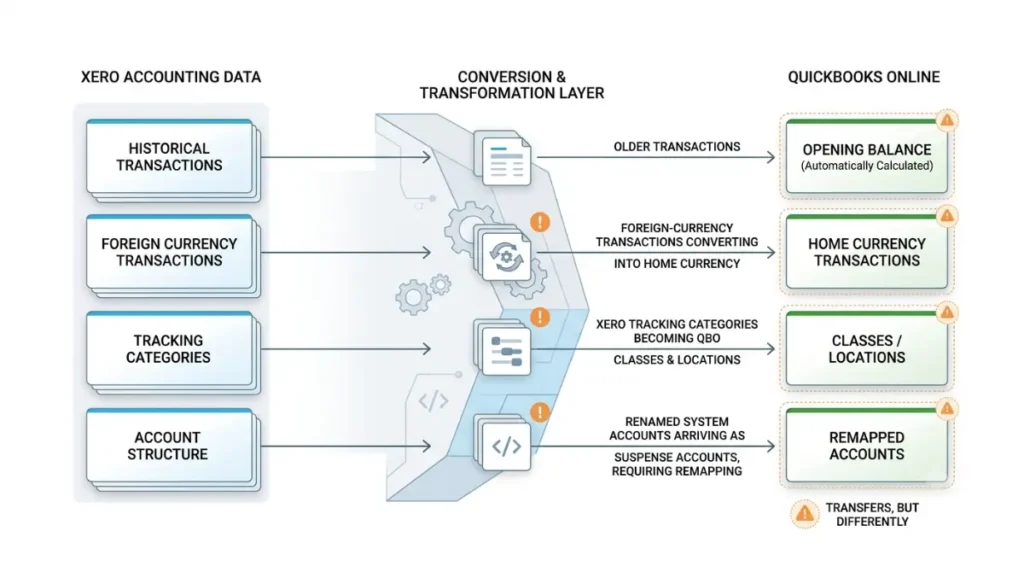
A second group transfers and then reads differently, which is not the same as a failed transfer.
Anything older than the transfer window
Transactions outside the converted period are consolidated into one automatically calculated opening balance, per Intuit’s conversion page retrieved 5 September 2026. The detail is not lost in Xero; it is simply not itemised in QuickBooks.
Multi-currency and renamed accounts
Foreign-currency transactions convert into your QuickBooks home currency at Xero’s rates, with no unrealized gains or losses carried and rounding differences landing as a profit-and-loss item. Renamed system accounts may arrive as suspense accounts showing up as customers or vendors, and need remapping.
Tracking categories
Tracking categories become classes and locations.
🔍 Why It Works This Way: QuickBooks Online allows one location per transaction. Where a Xero transaction carried different options on different lines, the first line’s option is applied across all of them.
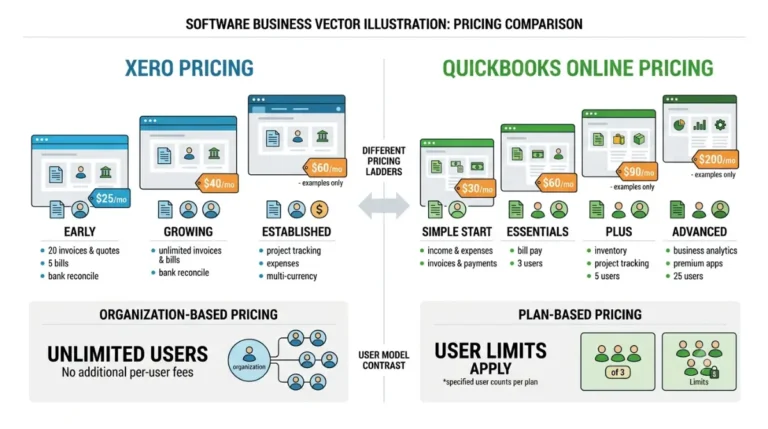
The plan your Xero file forces you to buy
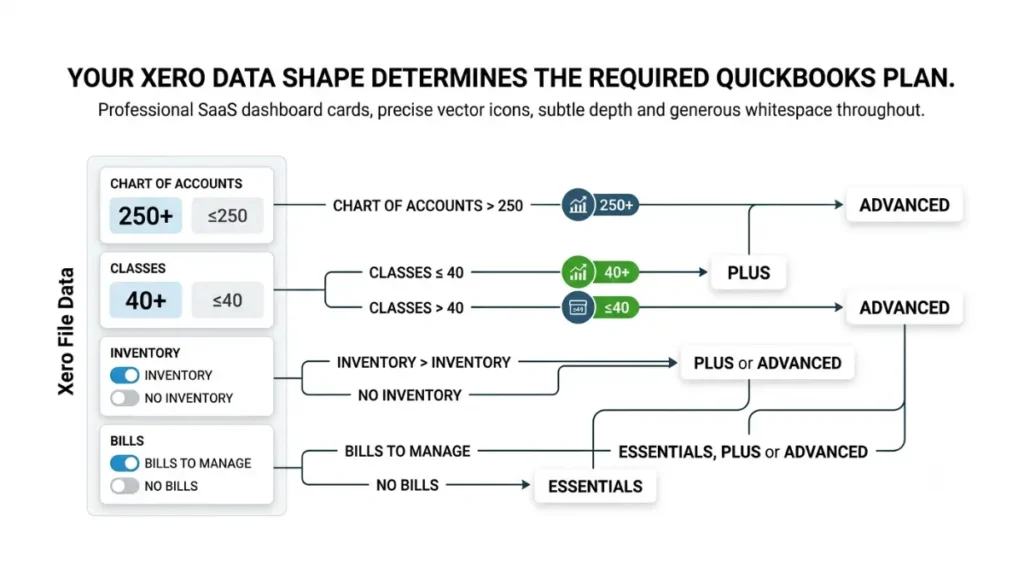
Your Xero data shape, not your preference, sets the plan you must be on before converting.
The four thresholds
| What’s in your Xero file | Minimum QuickBooks Online plan |
|---|---|
| More than 250 chart-of-accounts codes | Advanced |
| Classes | Plus or Advanced |
| More than 40 classes | Advanced |
| Inventory | Plus or Advanced |
| Bills to manage | Essentials, Plus or Advanced |
💵 Verified: More than 40 classes requires QuickBooks Online Advanced — Intuit’s conversion documentation, retrieved 5 September 2026, corroborated by the class limit of 40 shown on QuickBooks Online’s current plan prices, retrieved the same day.
What happens if you’re on the wrong plan
Count your accounts and tracking categories before you choose a plan. Buying below the threshold means discovering it mid-conversion.
Who can run it, and what has to be empty first
Two things stop conversions before they start: permissions, and what is already sitting in the destination.
The permissions on both sides
You need a standard or advisor role in Xero US and company admin permission in QuickBooks Online, per Intuit’s conversion page retrieved 5 September 2026. If your accountant holds the Xero subscription rather than you, check which Xero role you actually hold before scheduling anything.
The destination file must be blank
Your QuickBooks company file must contain no financial transactions and no customized chart of accounts; existing data can be overwritten by the migrated data. Intuit’s documented remedy for a populated file is to purge it.
🛟 Back This Up First: Purging a QuickBooks company file is irreversible. Before you purge anything, export your profit and loss, balance sheet, trial balance and both aging summaries from that file and store them outside QuickBooks.
What to export before you start
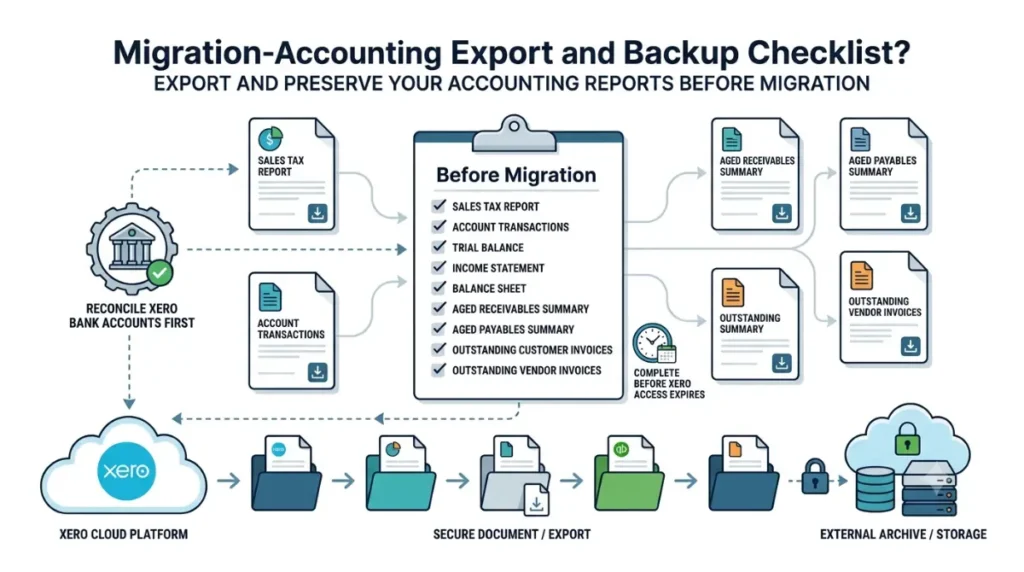
Intuit treats two extractions as mandatory, and both happen while your Xero access is still live.
The reports Intuit tells you to extract
For all accounting periods: the sales tax report, account transactions with all columns and grouping removed, and the trial balance. For the period ending at your conversion date: income statement, balance sheet, trial balance, aged receivables summary, aged payables summary, and a list of outstanding customer and vendor invoices. Intuit also says to keep these afterwards for tax or audit purposes, and to reconcile your Xero bank accounts first.
The gap on the Xero side
Xero documents its own export tools on Xero Central, and we could not retrieve that page to verify the current click path on 5 September 2026 — so the list above is what Intuit instructs you to extract, not a Xero-side walkthrough.
✅ Do This: Pull those reports before you touch the wizard, and check them against the notice period on the way out. You can build your pre-conversion export checklist from the fifteen exclusions above.
🧾 Not Tested: We did not run this conversion. It requires a live Xero US organization and a paid QuickBooks Online subscription, and we hold neither, so nothing here describes using the wizard or seeing its screens. Every limit, exclusion and threshold comes from Intuit’s US conversion documentation retrieved 5 September 2026. We could not verify Xero’s own export documentation, and we say so above rather than guessing at it.
Questions about the Xero to QuickBooks migration
1. Is the Xero to QuickBooks migration free?
Up to two fiscal years transfers at no charge, verified 5 September 2026. Extra years, inventory and classes carry unpublished fees.
2. Does payroll data transfer from Xero to QuickBooks?
No. Payroll information — employee details, pay calendars, tax records — is on Intuit’s not-converted list, retrieved 5 September 2026.
3. Do file attachments transfer to QuickBooks?
No. Attachments stay in Xero, so receipts and scanned bills must be downloaded before your Xero access ends.
4. Is bank reconciliation history carried over?
No. Reconciliation history is excluded, and migrated bank accounts arrive unreconciled in QuickBooks Online.
5. What happens to transactions older than the transfer window?
They consolidate into one automatically calculated opening balance unless you buy additional years, verified 5 September 2026.
6. Can I migrate into a QuickBooks file that already has data?
No. The destination file must hold no financial transactions; Intuit’s documented remedy for a populated file is purging it.
7. Do fixed assets transfer from Xero to QuickBooks?
No. Fixed assets management is excluded, so the asset register and depreciation schedule stay behind in Xero.
8. What happens to multi-currency transactions in the migration?
They convert into your QuickBooks home currency at Xero’s rates, with no unrealized gains or losses and rounding shown in profit and loss.
9.Which QuickBooks Online plan do I need to migrate from Xero?
Above 250 accounts or 40 classes, Advanced. Classes or inventory need Plus or Advanced, verified 5 September 2026.
10.Do the same migration limits apply outside the US?
Intuit’s US page requires a Xero US organization. Separate regional versions exist; we have not verified what those say.
What this leaves you with
Fifteen data types do not make the trip, verified against Intuit’s own documentation on 5 September 2026, and four thresholds in your Xero file decide which QuickBooks plan you have to buy first. Export the reports above while your Xero access is live. If the exclusions cost you more than the move saves, not migrating stays a reasonable answer.