Xero import not working, and the full fix for each file
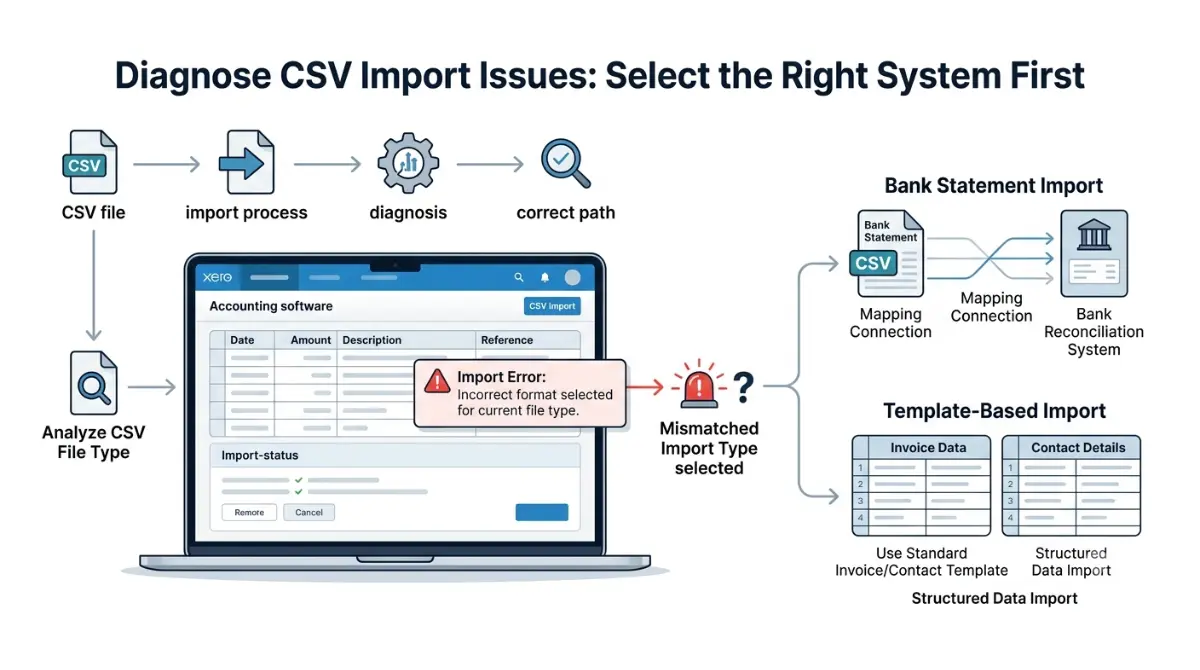
Table of Contents
Xero runs two import systems, and the fix depends on which one rejected you. Bank statements use a column-mapping step where only two fields are mandatory — Transaction Date and Transaction Amount. Invoices, bills, contacts and items have no mapping step at all: they read your header names, so a renamed column reads as missing. Both per Xero’s documentation, 8 September 2026.
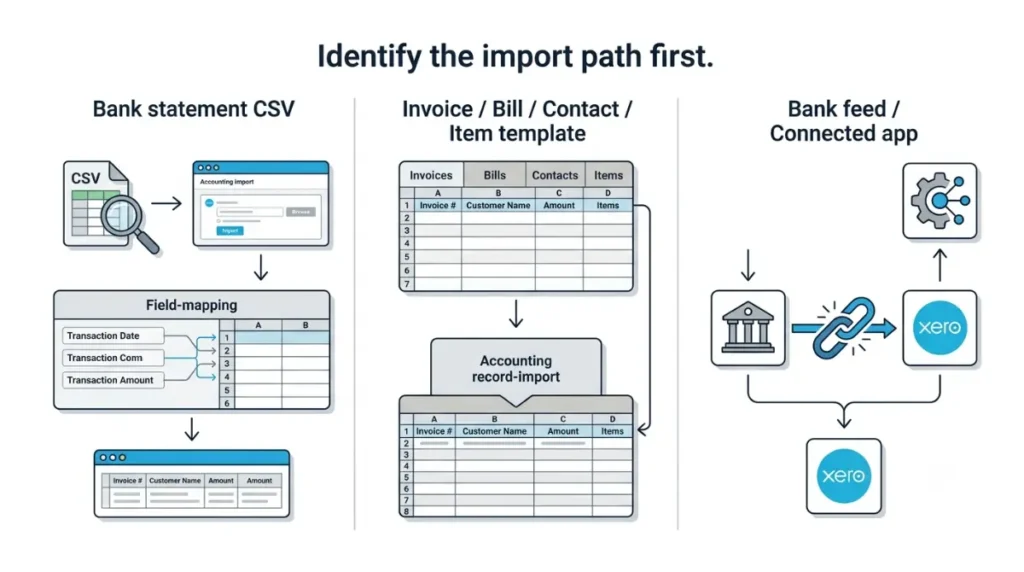
Which Xero import is actually failing
Almost every guide on this query treats Xero as having one CSV import. It has two, and half the advice online is being applied to the wrong one.
Bank statement CSV
You upload the file, then Xero asks you to point your columns at its fields. If you saw a mapping screen, you are here — go to the bank statement section.
Invoice, bill, contact or item template
You download a template, fill it, upload it. There is no mapping screen; the header row does that job.
Bank feed or connected app
If no file was involved, this is not a file problem and nothing below will fix it. If the import is part of moving platforms, what doesn’t survive a Xero migration covers the data side, and what Xero costs and what it costs to leave covers the money.
What Xero is actually rejecting
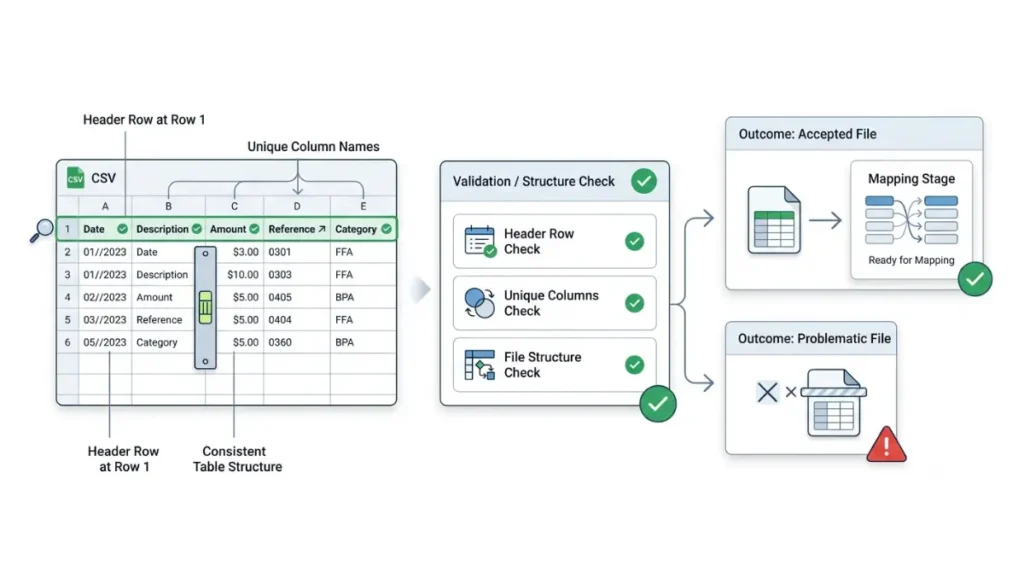
Xero checks the file structure before it ever shows you a mapping screen, and the error message names a symptom rather than a column.
The rules applied before mapping
Per Xero’s bank statement import documentation, retrieved 8 September 2026: the header row must sit in row 1, and every column name in it must be unique. A file can import without headings at all, though mapping is harder without them.
What the error text does not tell you
It does not name the offending column or row. We could not confirm the current wording of Xero’s rejection messages, so this article does not print an error string it has not verified — match on behaviour instead.
Rejected versus accepted with wrong dates
A rejected import is the better outcome. The worse one is a file Xero accepts and reads incorrectly, which is what the next section is mostly about.
Fixing a rejected bank statement file
Work through these in order. Xero’s documentation, retrieved 8 September 2026, states that only the Date and Amount fields are needed to create statement lines.
- Assign Transaction Date and Transaction Amount to columns from your file. Both are mandatory; nothing imports until they are mapped.
- Assign every other field you want carried across — payee, description, reference. The more you assign, the more arrives on each statement line.
- Confirm the date format when Xero asks, and stop to think first.
- Read the review screen before completing the import.
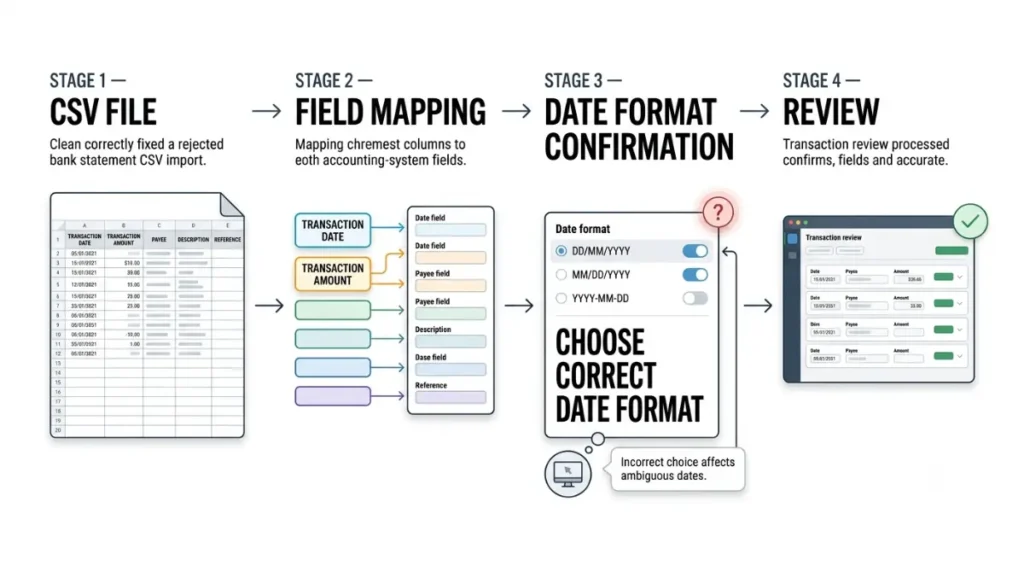
🔍 Why It Works This Way: Where a date could be read as day-first, month-first or year-first, Xero prompts you to confirm which it is — and applies that single choice to the entire statement. One careless click misreads every ambiguous date in the file, and the import will still succeed.
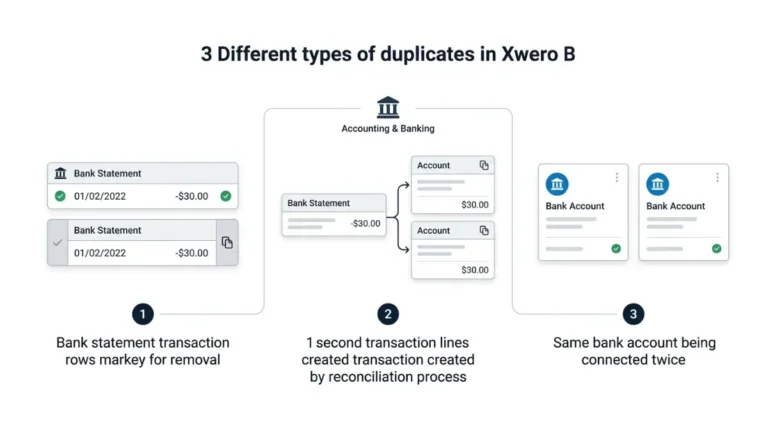
On the review screen, transactions matching ones already in Xero are treated as duplicates and skipped. If duplicates arrived anyway, that is a separate problem covered in duplicate bank transactions in Xero.
Fixing an invoice, bill or contact import
There is no mapping screen here, so a header mismatch is not something you can correct at upload time.
🛟 Back This Up First: Before importing against records that already exist, export the current list from Xero and keep the file. Xero’s Practice Manager contact import documentation, retrieved 8 September 2026, states plainly that blank values in an import file delete the existing data. Confirm which behaviour your import screen offers before you upload.
- Leave the template’s column headings exactly as downloaded. Xero’s bills and credit notes documentation, retrieved 8 September 2026, states these headings are what the import relies on.
- Keep every column in its original order and leave unused ones blank rather than deleting them, per Xero’s inventory item documentation retrieved the same day.
- Fill the mandatory column for your type — Contact Name for bills, the primary contact’s name for contacts, ItemCode for items.
- Choose how empty fields are treated on records that already exist, if your import offers the choice.
Importing bank account details onto contacts requires admin permission — see which Xero user role you need.
When the file looks right and still fails
Row limits differ by import type, and a figure for one does not transfer to another.
| Import type | Stated limit | Ceiling or advice | Verified |
|---|---|---|---|
| Bank statement CSV | 100,000 rows | Hard limit | 8 Sep 2026 |
| Bills and credit notes | Split above 500 items | Recommendation only | 8 Sep 2026 |
| Inventory items | A maximum is stated | Figure not retrieved | 8 Sep 2026 |
| Contacts | None found | No limit stated | 8 Sep 2026 |
💵 Verified: A bank statement CSV cannot exceed 100,000 rows; Xero suggests deleting empty rows or using OFX or QIF instead — Xero’s bank statement import page, retrieved 8 September 2026.
Other published guides give 500 and 1,000 as the bank statement ceiling. Both conflict with Xero’s own page, and the 500 figure appears to be its bills recommendation applied to the wrong import type. We have not proven that origin, so treat it as the likely explanation rather than an established one.
The regional template trap
The template you download is regional, and Xero’s documentation states the region follows your browser language — defaulting to New Zealand English when it cannot be determined. Your headings may not match your organisation.
When it’s Xero, and how to avoid this next month
Before editing the file a fifth time, check Xero’s status page for an open incident. A platform-side failure is not something a spreadsheet fixes.
✅ Do This: Test the import file in Xero’s demo company first — Xero’s own contact import documentation recommends it, retrieved 8 September 2026. Nothing you break there touches live records.
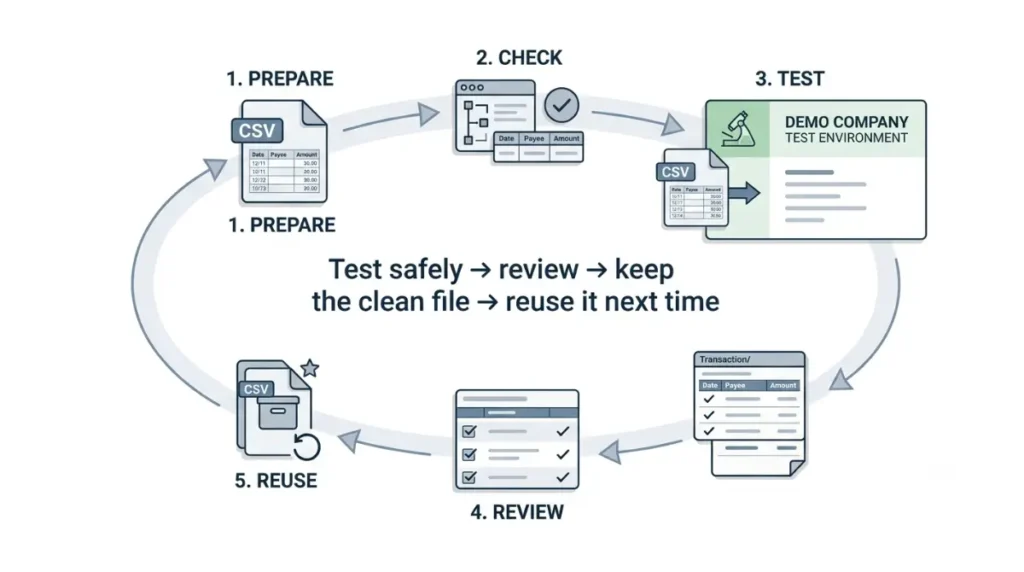
Keep the last file that imported cleanly and reuse it as your template.
Where self-service ends
Stop when the file meets every documented rule and still fails. Do not use manual reconciliation as a workaround: Xero’s documentation, retrieved 8 September 2026, warns that creating statement lines by hand can produce duplicates and incorrect bank balances. Raise a case with Xero support instead.
🧾 Not Tested: We did not run any of these imports. Every rule here comes from Xero’s own documentation pages on 8 September 2026, each linked so you can check it against the live page. There is no interface assessment here, and no error message we have not verified.
Xero import questions, answered
1. Why is my Xero CSV import not working?
Xero has two import systems. Bank statements use column mapping; invoices, bills and contacts read header names instead.
2. Which columns are mandatory for a Xero bank statement import?
Transaction Date and Transaction Amount must both be assigned. Everything else is optional, verified 8 September 2026.
3. Do Xero invoice imports have field mapping?
No. Invoice, bill, contact and item imports read the template’s header row; there is no mapping screen.
4. Why does Xero misread my dates?
Where a date is ambiguous, Xero asks you to confirm the format and applies that choice to the whole statement.
5. Can a Xero import delete existing data?
Xero’s Practice Manager documentation states blank values in an import file delete existing data, verified 8 September 2026.
6. How many rows can a Xero bank statement CSV have?
A maximum of 100,000 rows, verified 8 September 2026. Other import types carry different limits.
7. Why is my template in the wrong format?
The import template is regional and follows your browser language, defaulting to New Zealand English when undetermined.
8. Can I test an import without touching live data?
Yes. Xero recommends testing the import file in the demo company first, verified 8 September 2026.
9. When should I contact Xero support?
When the file meets every documented rule and still fails. Manual reconciliation workarounds cause duplicates and wrong balances.
What to check next
The single most useful habit here is keeping the last file that imported cleanly. Every rule above came from Xero’s own documentation on 8 September 2026, carries that date, and links to its source so you can check it yourself. We did not test these imports, and no sentence here describes running