Xero bank feed not updating, and the actual fix by type
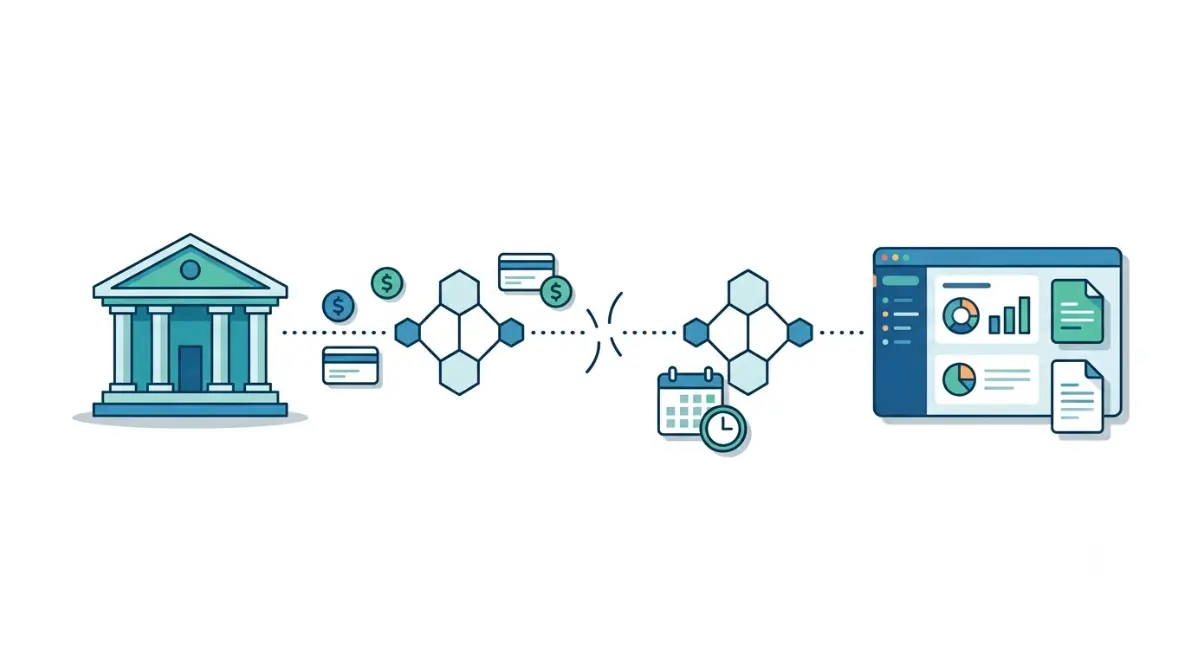
Table of Contents
🧾 Not Tested: We did not log in to a Xero organisation to write this. Every fix below is Xero’s, taken from its own pages on 7 September 2026 — not a fix we performed. We do not describe any Xero screen we have not seen, and where Xero’s documentation is silent we say so rather than guess the clicks.
If your Xero bank feed has stopped updating, check Xero’s bank feed status page before touching anything: a listed bank-side disruption means no fix on your end will work. Which of the five fixes applies depends on your connection type — Yodlee, open banking or direct. Yodlee feeds where the bank requires MFA can only be refreshed by the person who set them up, per Xero, 28 July 2025.
Which connection type you have decides the fix
Xero connects to a bank in one of three ways, and four of the five fixes below only work on some of them.
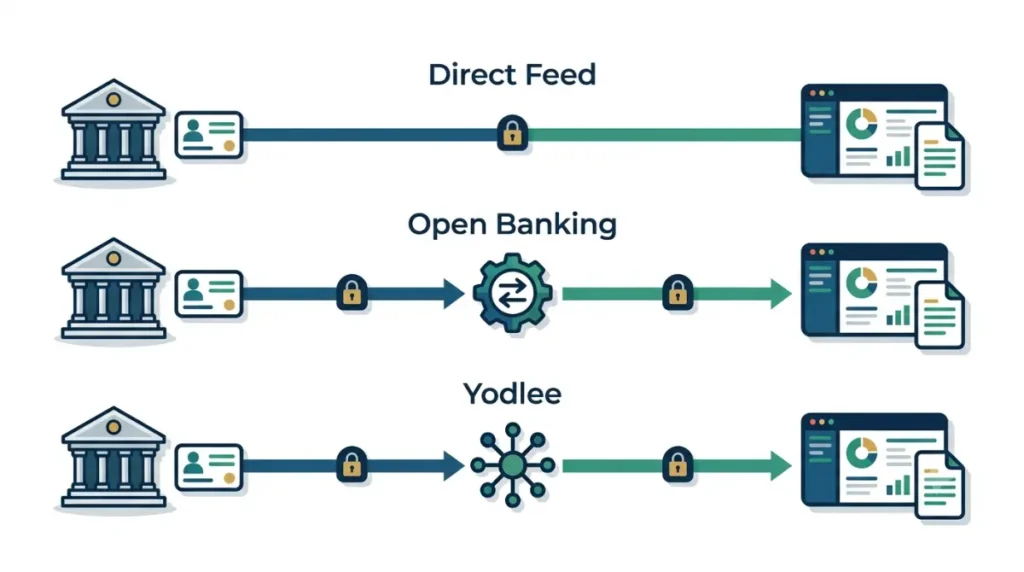
The three ways Xero connects
| Connection type | Who has it | Can you refresh it yourself? | If it stalls |
|---|---|---|---|
| Direct feed | Banks with a built connection to Xero | Sometimes — set by the bank | Check the status page, then wait |
| Open banking | UK accounts, via Tink | Re-authenticate through Xero | Follow the prompts in Xero |
| Yodlee | Institutions with no direct feed | Only the person who set it up, where MFA applies | Reassign or reconnect the feed |
How to work out which one you have
Region narrows it fast. UK connections run through open banking; where no direct feed exists, Xero states you either use a Yodlee feed or import statements manually, per Xero’s bank feeds documentation and its US bank feeds page, both retrieved 7 September 2026. Xero publishes a separate page per bank naming which type applies.
Why Xero bank feeds stop updating
Start by ruling out the case where nothing is broken.
Nothing has cleared yet
Bank feeds import cleared transactions only. If nothing has been processed and marked cleared, nothing imports, and Xero notes that timing between pending and cleared is itself a common cause of apparent gaps — Xero’s guidance on missing statement lines, retrieved 7 September 2026.
The connection has lapsed
Open banking connections expire and need re-authorising. Credentials change, and a Yodlee feed tied to an online banking login stops when that login does.
The bank’s side has broken
Xero states plainly that it and Tink both depend on the quality of individual banks’ APIs, and that bank-side bugs and broken connections are outside its control — page stamped 28 October 2025.
🔍 Why It Works This Way: Feeds are read-only pulls. A refresh asks the bank for whatever it has already cleared; it cannot make the bank clear anything faster, which is why clicking it repeatedly changes nothing.
A stalled feed is not a plan restriction — what each Xero tier blocks is a separate question, and reconciliation appears on all three US plans.
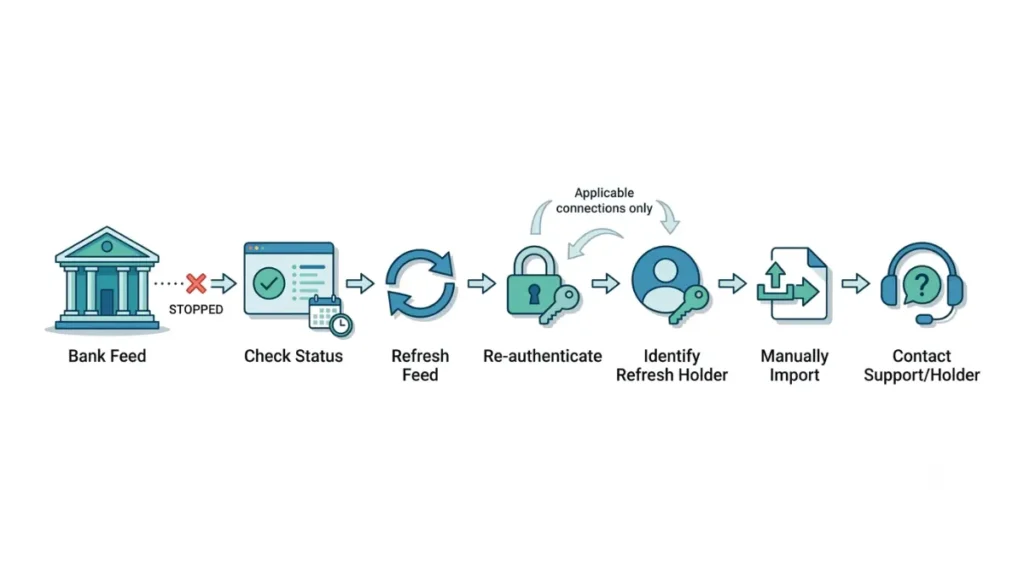
How to fix a Xero bank feed that stopped updating
Work these in order. Skipping to step two wastes the time step one would have saved you.
1. Check the status page first
Xero maintains a regional list of known bank feed disruptions, with named banks and stated workarounds. If yours is on it, stop — nothing you do in your organisation will fix it. Check Xero’s bank feed disruptions page, retrieved 7 September 2026.
2. Refresh the feed
Refreshing pulls in whatever your bank has cleared and released since the last import. Xero documents this on its page on connecting a bank, retrieved 7 September 2026. If nothing arrives and step one was clear, the transactions have not cleared yet.
3. Re-authenticate an open banking connection
Xero’s page, stamped 28 October 2025, states that once your bank has applied the FCA’s change to the 90-day re-authentication rule, you re-authenticate by following the prompts inside Xero rather than at the bank.
4. Find out who is allowed to refresh it
💵 Verified: Where a bank requires multi-factor authentication, only the user who originally set up a Yodlee feed can supply those details to refresh it. It is a bank security requirement, not a Xero setting — Xero’s response on its product forum, dated 28 July 2025, retrieved 7 September 2026. Xero documents the constraint at refreshing a bank feed’s MFA.
This is not a Xero permission, so no role change reaches it — which user role opens what is a different question. Xero’s stated workaround is for another user to deactivate the feed and reactivate it under their own bank login.
🛟 Back This Up First: Before deactivating a feed, export the bank account’s existing statement lines from Xero. Reconnecting can bring the same transactions back in a second time, and the duplicate check in the last section is what catches it.
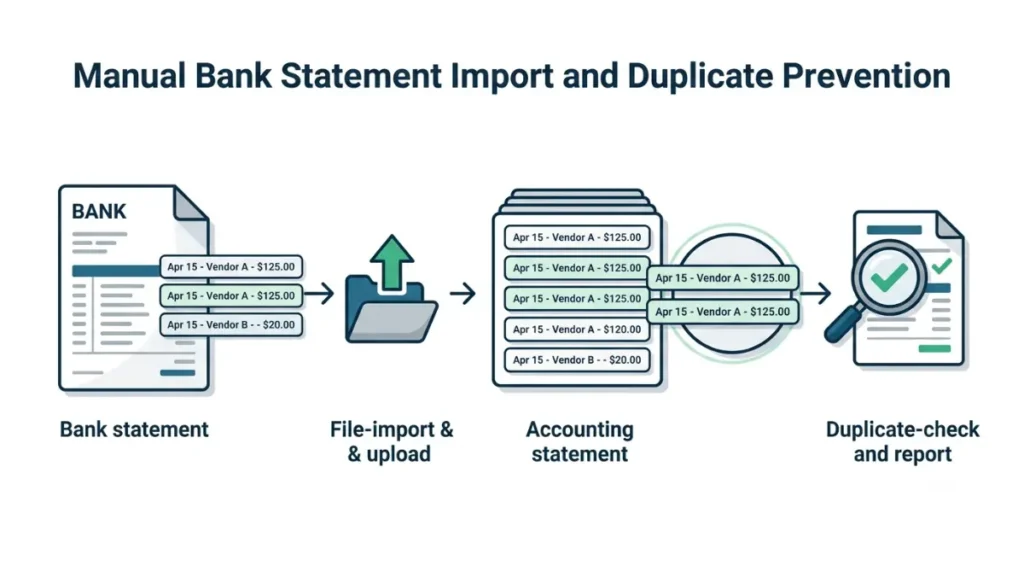
What to do when the feed still won’t update
At this point the feed is not the problem to solve today — the reconciliation is.
5. Import the statement manually
🛟 Back This Up First: Note the exact date range you are importing. If the feed later backfills the same days, you will have two of every line in a statutory record.
Xero accepts statement files in OFX, QIF, QBO, QFX and CSV, and supports uploading a PDF statement from a supported bank, per its US bank feeds page, retrieved 7 September 2026. Each imported line is marked in the Source column, so you can tell later what arrived by feed and what you loaded by hand — Xero on viewing statement lines, retrieved 7 September 2026.
Where self-service ends
Stop here. If the status page shows a known disruption, or one reconnect has already failed, the next move belongs to Xero support or to whoever holds the bank login — not to another reconnect attempt.
✅ Do This: Raise the case with what Xero asks for up front: your organisation name and the last four digits of each account, the bank’s name, screenshots of any error, and a copy of the statement if transactions are missing. For a Yodlee feed, add your online banking web address and whether you can currently log in — Xero’s own list, page stamped 28 March 2024.
When it’s Xero or your bank, not you
Some of these failures were never yours to fix, and Xero says so on its own pages.
Where the disruption list lives
The disruptions page is filtered by region, so select yours before reading it. It carries current entries by bank and, where Xero has one, the workaround — usually importing manually until the feed catches up.
What Xero says it can’t control
In its account of UK feed reliability, page stamped 28 October 2025, Xero describes migrating UK connections to Tink after acquiring its previous provider, and states that feed quality still depends on individual banks’ APIs. That page also still describes Irish feeds as switched off pending EU regulatory approval; we could not establish the current position and are not stating one.
How to stop the feed breaking again
Two habits catch the next break in days instead of at month-end.
Check for duplicates after any manual import
⚠️ This Costs You: A duplicated statement line is a duplicated transaction in your books. Xero’s Duplicate Statement Lines report compares dates and amounts to surface candidates, per its duplicates guidance, retrieved 7 September 2026. Run it after every manual import.
Expect a reconnect when your provider changes
A feed that stops without warning is sometimes a scheduled migration you missed. Xero announced on 15 July 2025 that it would add more than a thousand direct US connections through Plaid, phased from late 2025 and including moving some existing connections across, with instructions issued when a connection is due — Xero’s announcement.
Xero bank feed questions, answered
1. Why has my Xero bank feed stopped updating?
Either nothing has cleared at your bank, the connection has lapsed, or your bank’s side has broken.
2. How often should Xero bank feeds update?
Xero describes feeds as importing daily and publishes region-specific target times on Xero Central. Check yours there.
3. How do I refresh a bank feed in Xero?
Refreshing imports transactions your bank has already cleared. Xero documents the steps on its page about connecting a bank.
4. Why is there no refresh button on my feed?
Not every connection type offers one. Direct feeds arrive on the bank’s schedule rather than on demand.
5. Who can refresh a Yodlee feed with MFA?
Only the user who originally set up the feed, per Xero on 28 July 2025. It is a bank requirement.
6. Does Xero import pending transactions?
No. Bank feeds import cleared transactions only, so pending items appear once your bank clears them.
7. Can I import transactions manually while the feed is down?
Yes. Xero accepts OFX, QIF, QBO, QFX and CSV files, plus PDF statements from supported banks.
8. Is a broken bank feed a plan limitation?
No. Reconciliation appears on all three US plans; only auto-reconciliation is restricted to the higher tiers.
9. Where do I check if Xero’s bank feeds are down?
On Xero’s bank feed disruptions page, filtered to your region. It lists known delays and any stated workaround.
10. Should I call a “Xero support” number I found online?
No. Xero’s documented support route is a case raised in Xero Central. Numbers on third-party pages are not Xero’s.
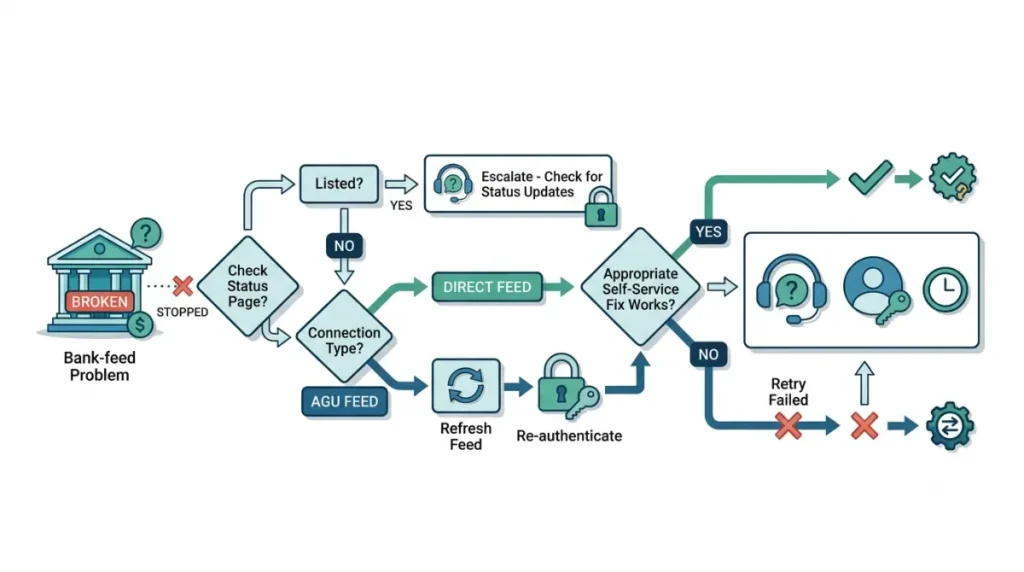
What to check, and when to stop trying
Status page, then connection type, then the fix that matches it. If the status page names your bank, or one reconnect has already failed, import manually and raise a case — the feed is not yours to repair from there. Every instruction above came from Xero’s own pages on 7 September 2026, and where Xero was silent, we said so.